- Integrations
- TestCollab
Sync TestCollab defects with Route5 issues
Overview
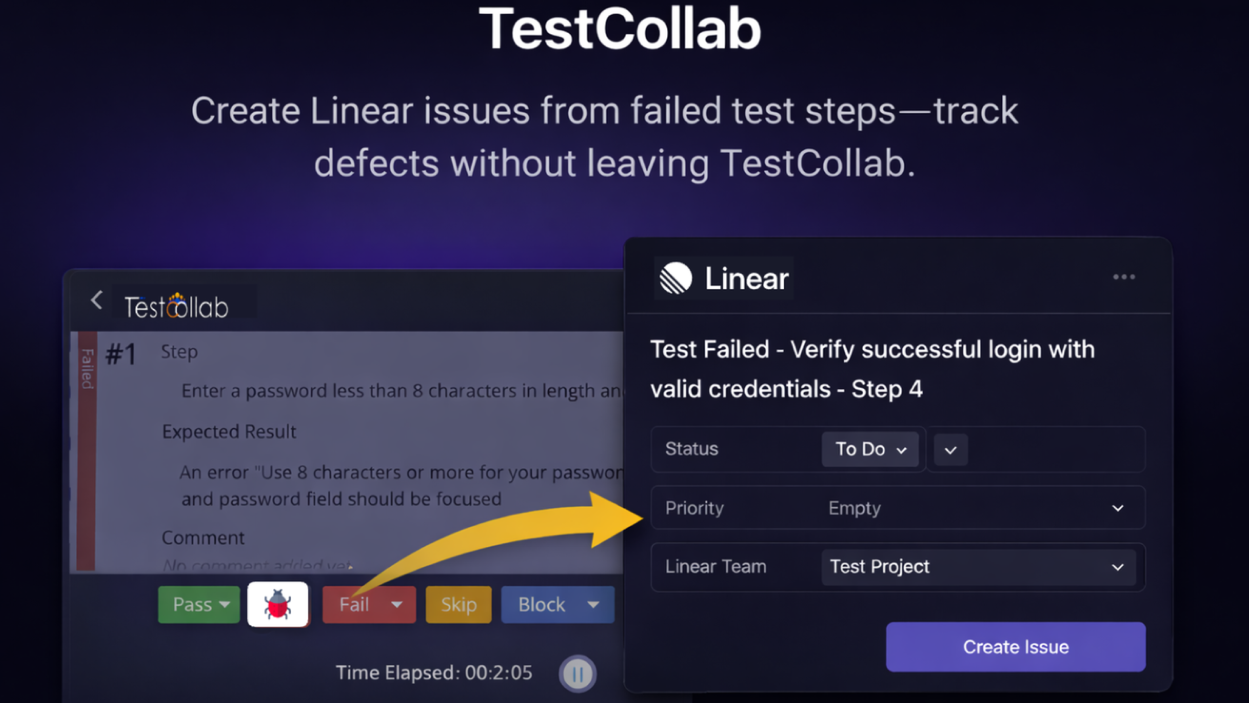
The TestCollab ↔ Route5 integration helps teams manage defects end-to-end by connecting TestCollab defect tracking with Route5 issues. Create and link Route5 issues from TestCollab defects, keep references in sync, and improve visibility between QA and operator teams.
How it works
When enabled, the integration connects a TestCollab project to a Route5 workspace so defects in TestCollab can be associated with Route5 issues. Teams can create a new Route5 issue directly from a defect or link an existing Route5 issue to a defect, making it easy to keep QA and engineering aligned.
Once linked, the defect and the Route5 issue stay connected through cross-references, so anyone viewing the defect can jump to the corresponding Route5 issue for triage and resolution. This reduces manual copy/paste and ensures the team works from a single source of truth for bug status and ownership.
Configure
To configure the integration, an admin (or a user with permission to manage integrations) connects TestCollab to Route5 and authorizes access to the Route5 workspace. After authorization, select the TestCollab project and the Route5 team/project you want to map defects to.
Configuration guide