- Integrations
- Runframe
Create issues from incidents and follow-up action items
Overview
Runframe connects incident response workflows with Route5 so operator teams can turn incidents and follow-up actions into trackable work. The integration keeps incident context attached to Route5 issues, helping teams close the loop after incidents are resolved.
How it works
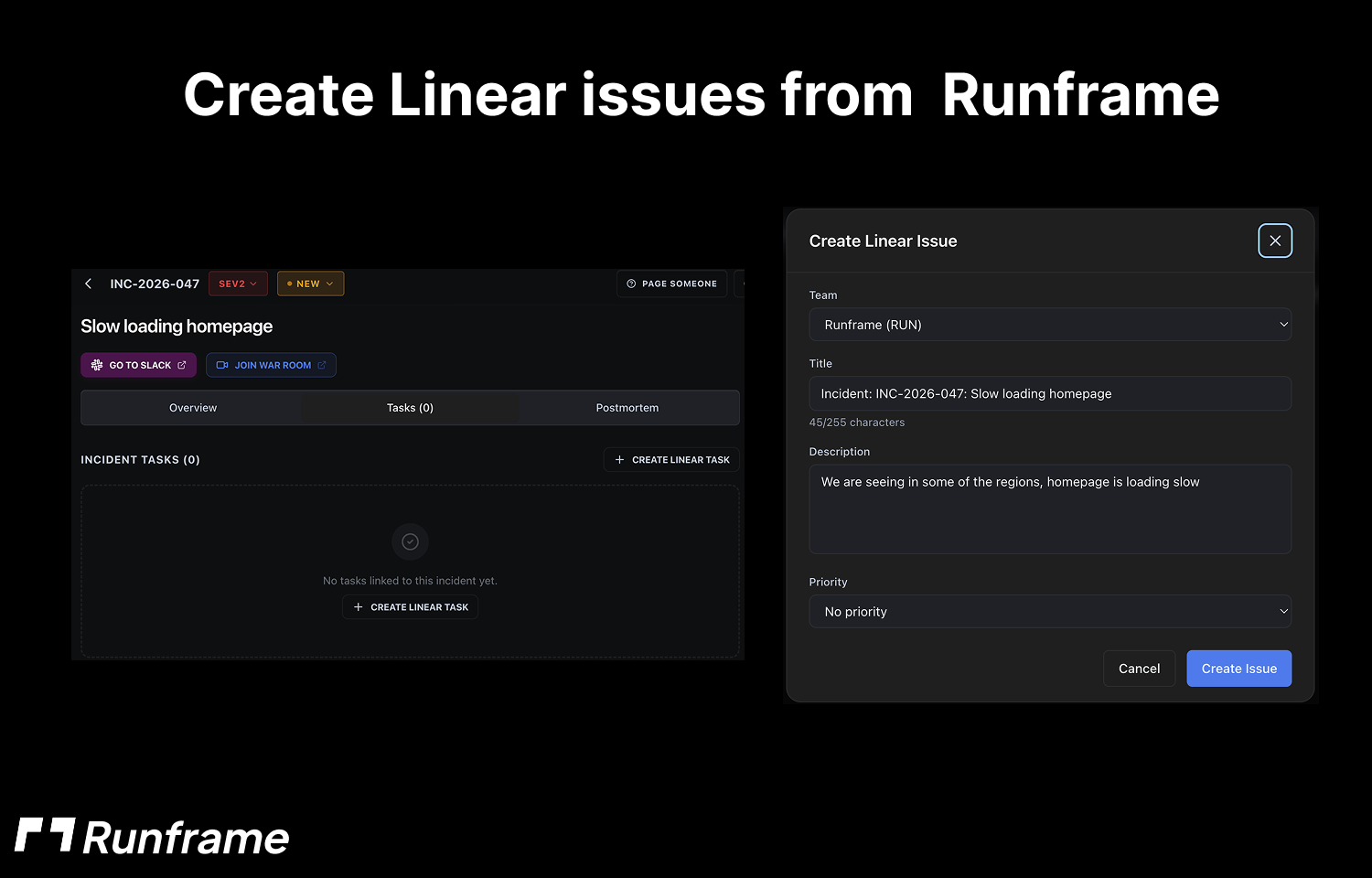
With Runframe and Route5 connected, teams can create Route5 issues from incidents and associated action items so remediation work is visible to operator teams.
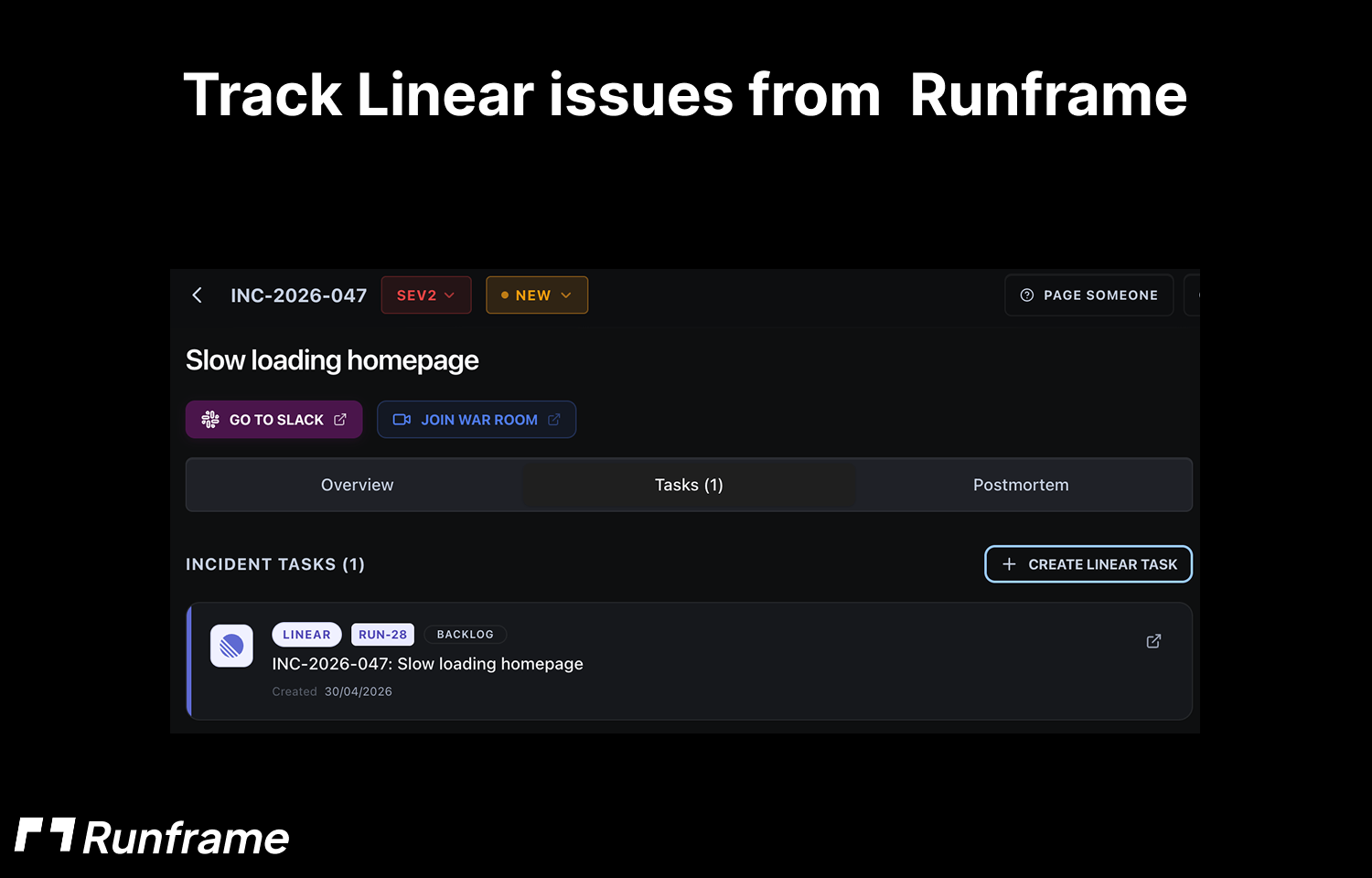
Runframe links incident records with Route5 issues, preserving relevant context such as the incident, follow-up details, and ownership. This helps engineers understand why the work exists without switching between systems.
As incident follow-ups progress, teams can keep operational and engineering work aligned in Route5, making it easier to track outstanding actions after an incident review.
Configure
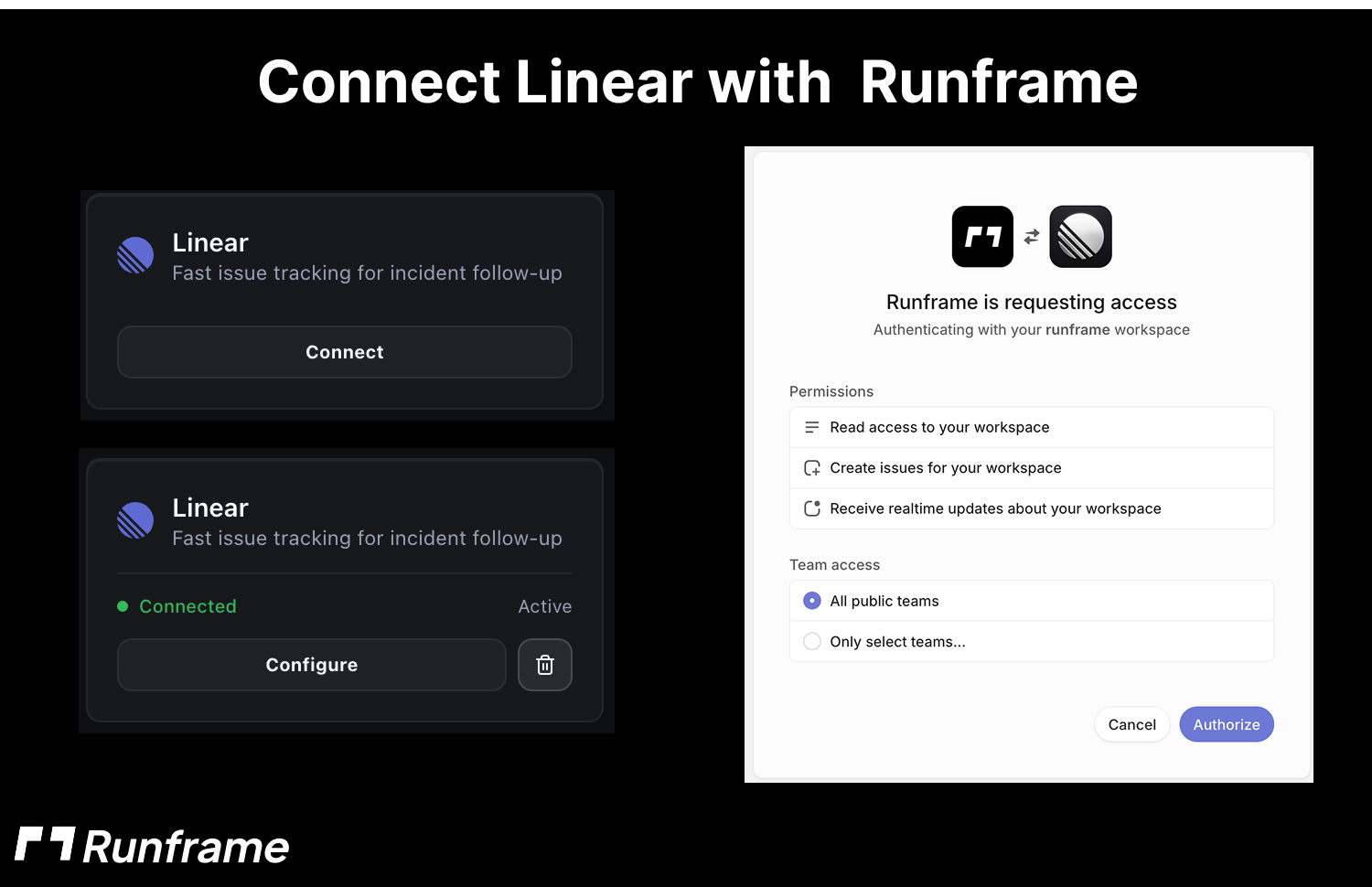
To configure the integration, connect Route5 from your Runframe workspace settings. A Runframe workspace admin should go to Integrations, select Route5, and authenticate with Route5.
After connecting Route5, choose the Route5 workspace, team, and project where incident issues or follow-up action items should be created. Once configured, Runframe can create and link Route5 issues from incident workflows.