- Integrations
- Survicate
Turn customer feedback into Route5 issues — without leaving your workflow.
Overview
Survicate is a customer feedback platform that helps companies gather and analyze user insights. With the Survicate and Route5 integration, you can send insights from Survicate directly into Route5 as actionable issues — helping your team prioritize and act on feedback efficiently. This integration is perfect for operations leaders looking to maintain a seamless workflow between collecting user feedback and driving commitment enforcement in Route5.
How it works
Turn insights into Route5 issues
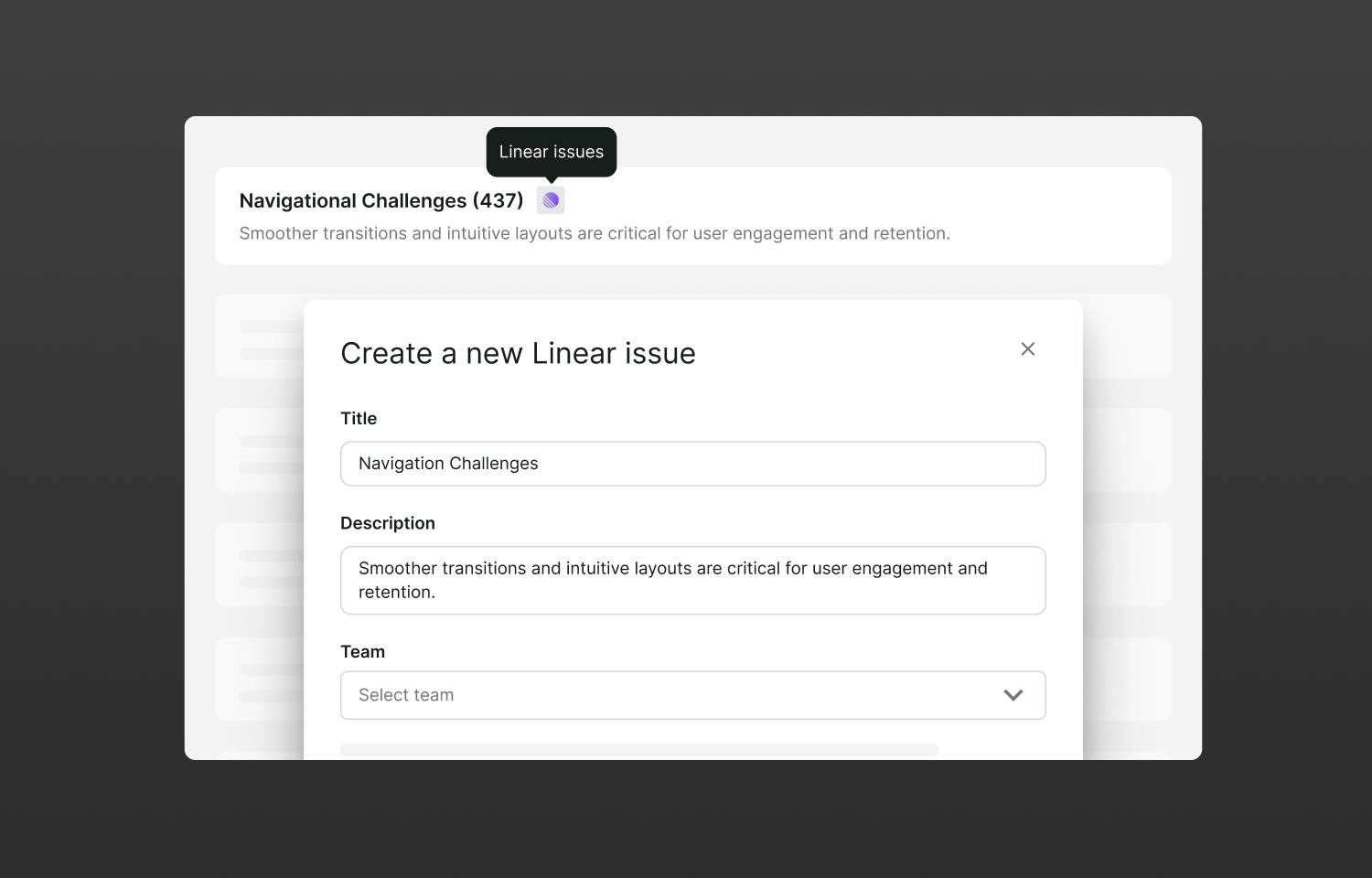
- In the Research Hub tab, select an insight you’d like to turn into a Route5 issue → click the three dots → Connect to Route5
- Once you fill out the issue fields, you’ll see a notification in Research Hub confirming the issue was created, with a button to view it directly in Route5
- The insight will automatically be pinned, and you’ll see the Route5 logo next to it — clicking the logo takes you to the Route5 issue
- To remove the connection, click three dots → Disconnect from Route5 to unpin the insight and remove the Route5 icon
Turn feedback pieces into Route5 issues
- In Research Hub, open a piece of feedback you’d like to send to Route5 and click Route5 issues
- Fill out the issue fields — you’ll see a confirmation notification with a button to view the issue in Route5
- If issues have already been created from this feedback piece, you can view existing issues in Route5 or create a new one
Configure
To install the Survicate integration for Route5, create your free Survicate account and click Connect here.
You might be interested in
- Build custom dashboards and analytics from issue and project data
 Google SheetsBy Route5
 - Cycle is a product management platform that turns product feedback into customer engagement. Centralise customer insights from various sources, link them to relevant product initiatives, collaborate on those, and close the loop with customers at each release
 CycleBy Cycle