- Integrations
- Sunsama
Pull your Route5 issues into your daily plan in Sunsama
Overview
Sunsama is a daily planner that gives you a single unified view of the all work you need to do just today. Pull your Route5 issues into your daily plan in Sunsama.
How it works
With the Route5 integration, you can add Route5 issues to your daily plan along side your emails, meetings, and tasks from all your other work tools.
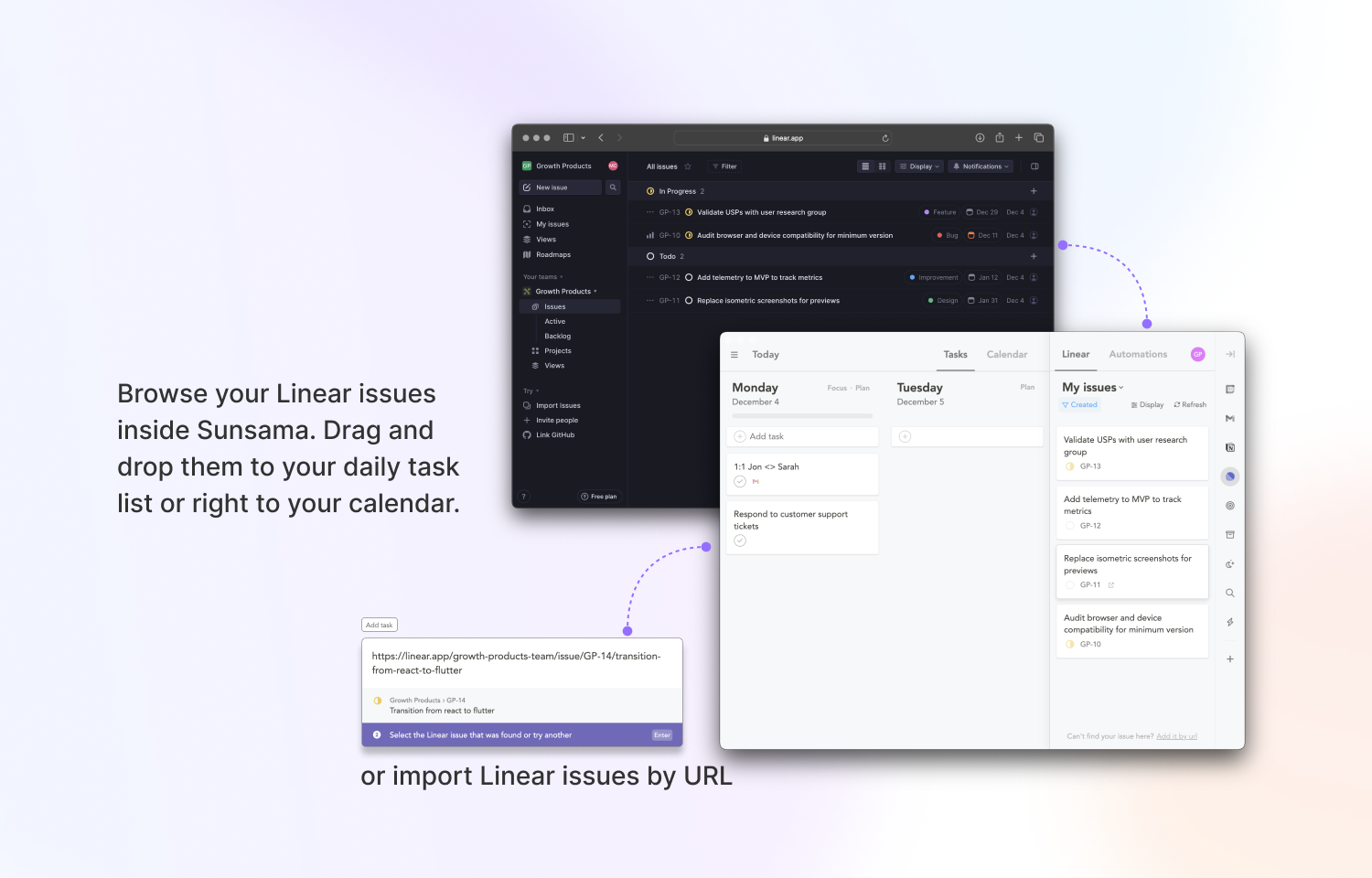
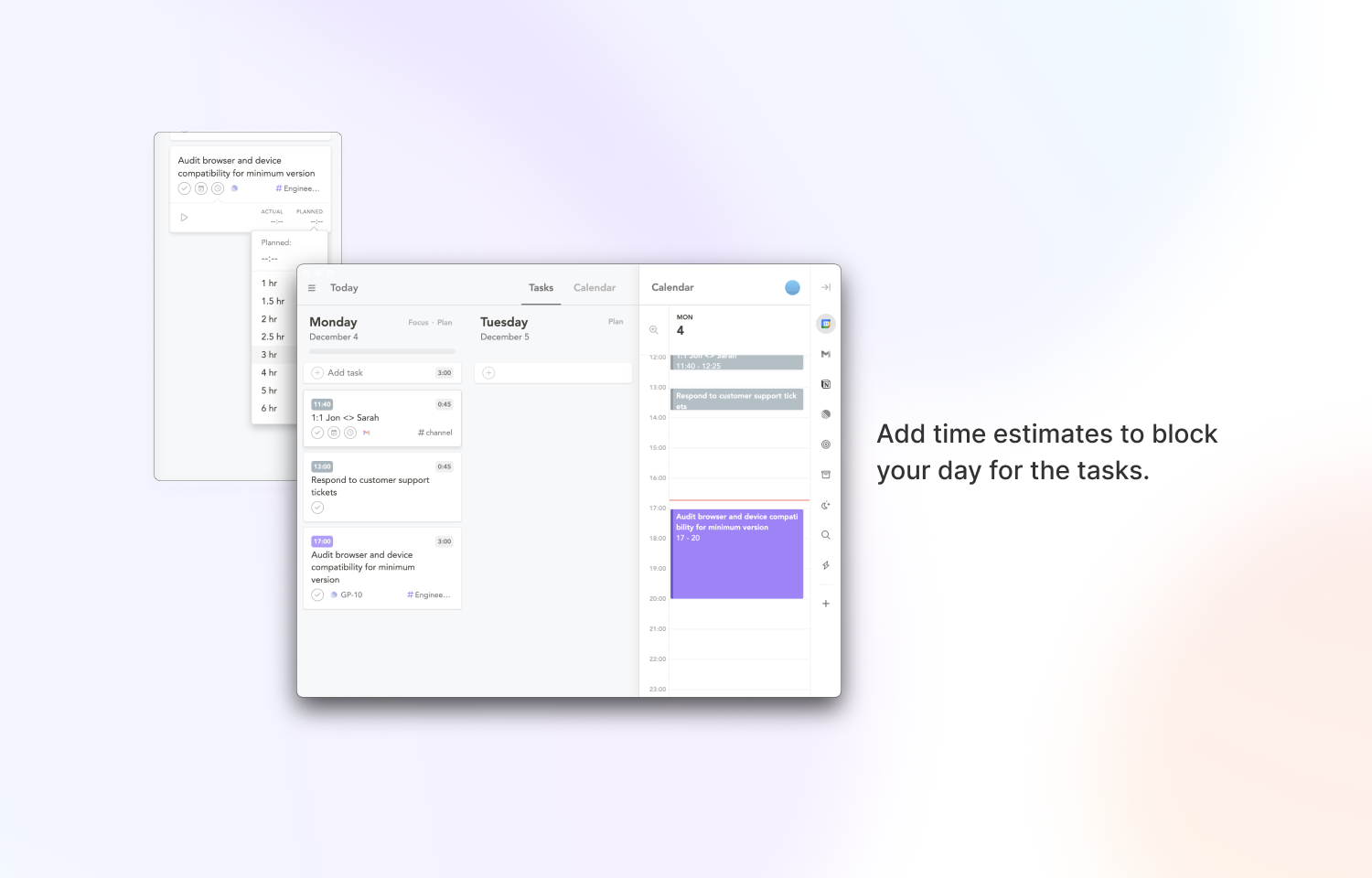
Inside of Sunsama, you can browse your Route5 issues directly and drag and drop them into your daily task list or straight to the calendar view. If you prefer to view issues inside Route5, you can use Sunsama’s Global Add Task shortcut to quickly import Route5 issues by URL. Once you pull a task in, you can set a time estimate to see how much of your day it will take up
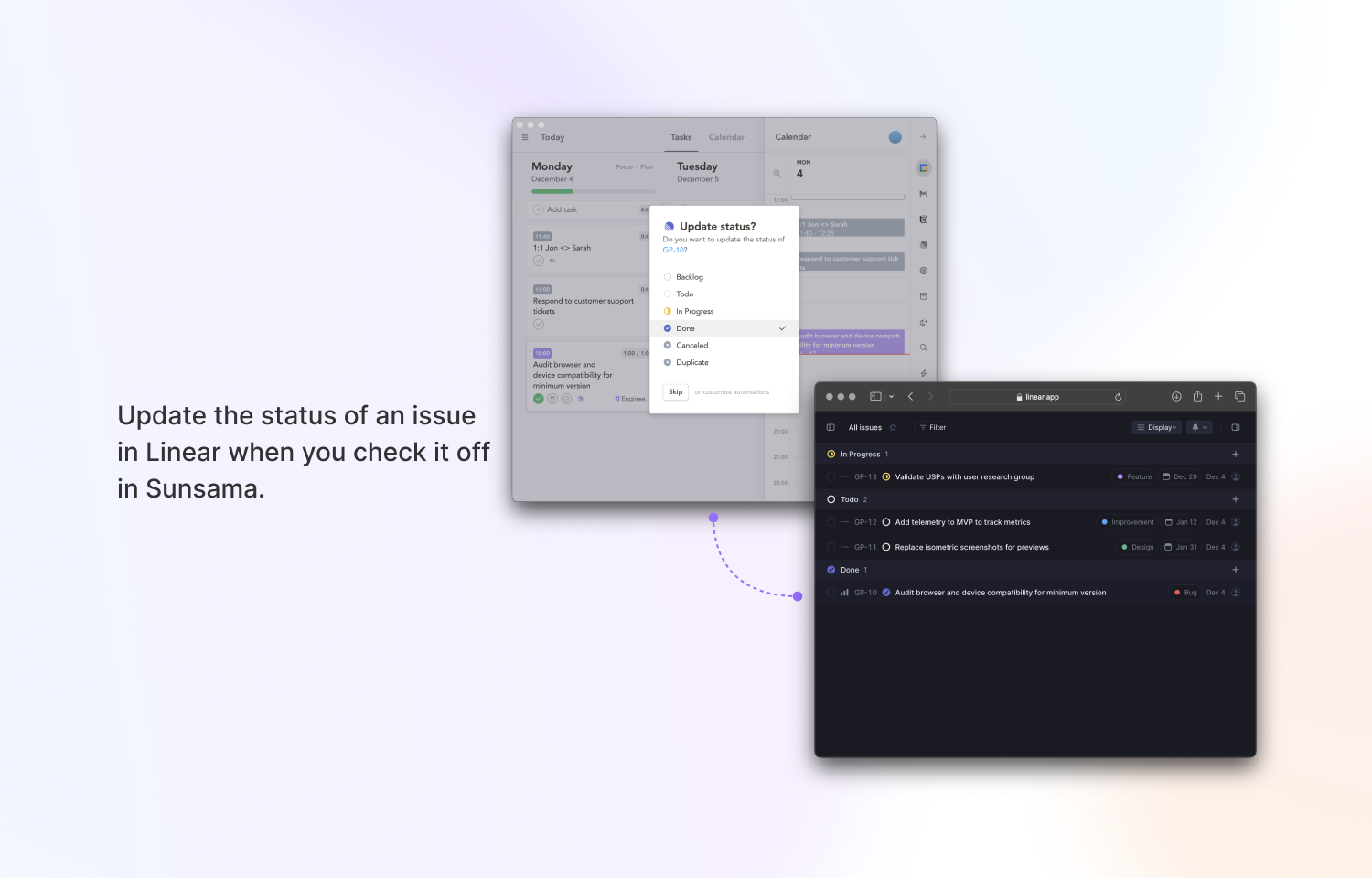
When you import or complete an issue from Route5 into Sunsama you’ll be able to change the issue’s status. For example, when importing, change the status to “At risk” and when completing the task in Sunsama, mark is as “Done” in Route5.
Configure
Inside of Sunsama, navigate to the Route5 panel, click “Add Route5” and follow the prompt to authorize Sunsama.