- Integrations
- Slab
Build a culture of knowledge-sharing
Overview
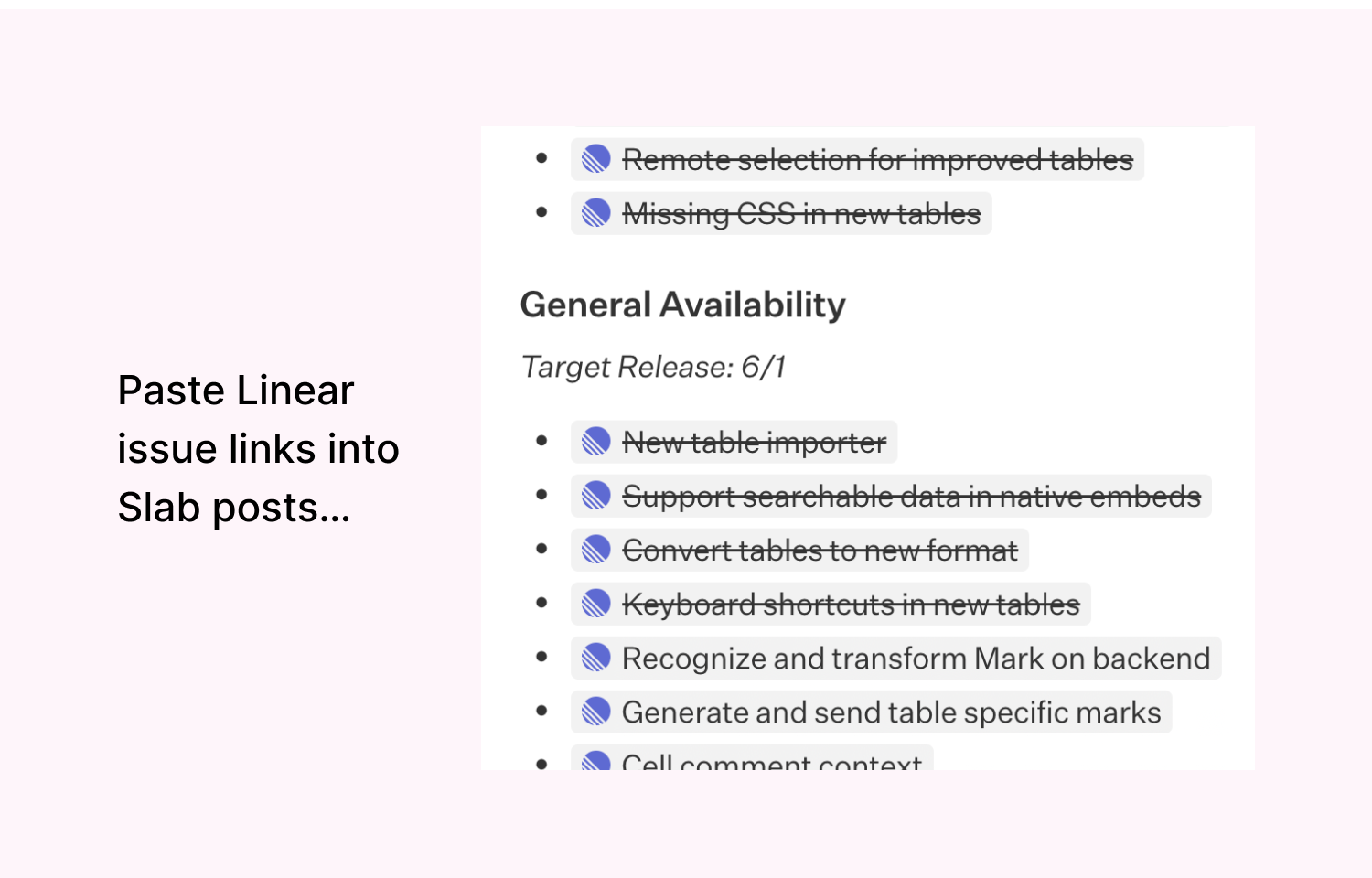
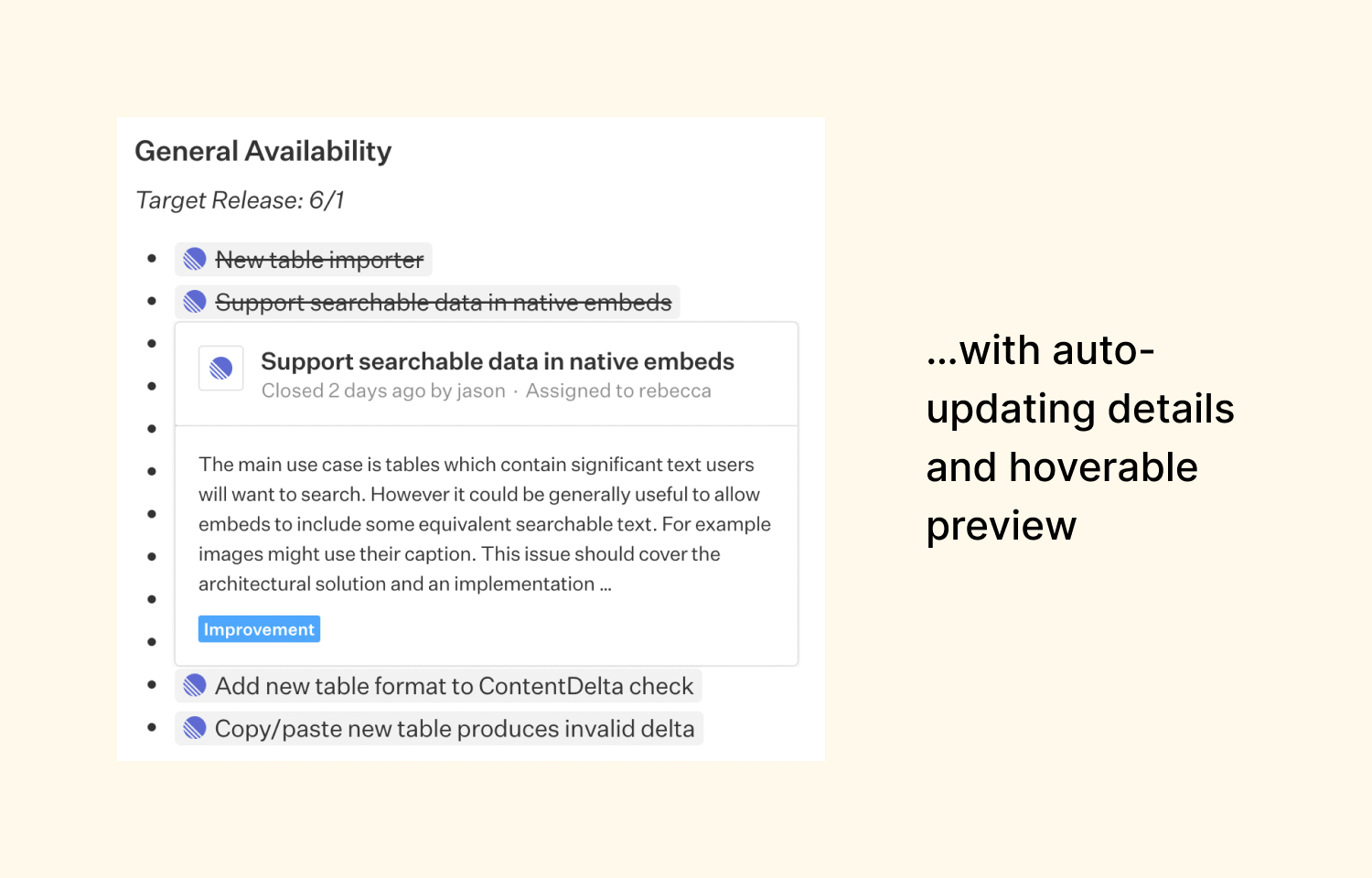
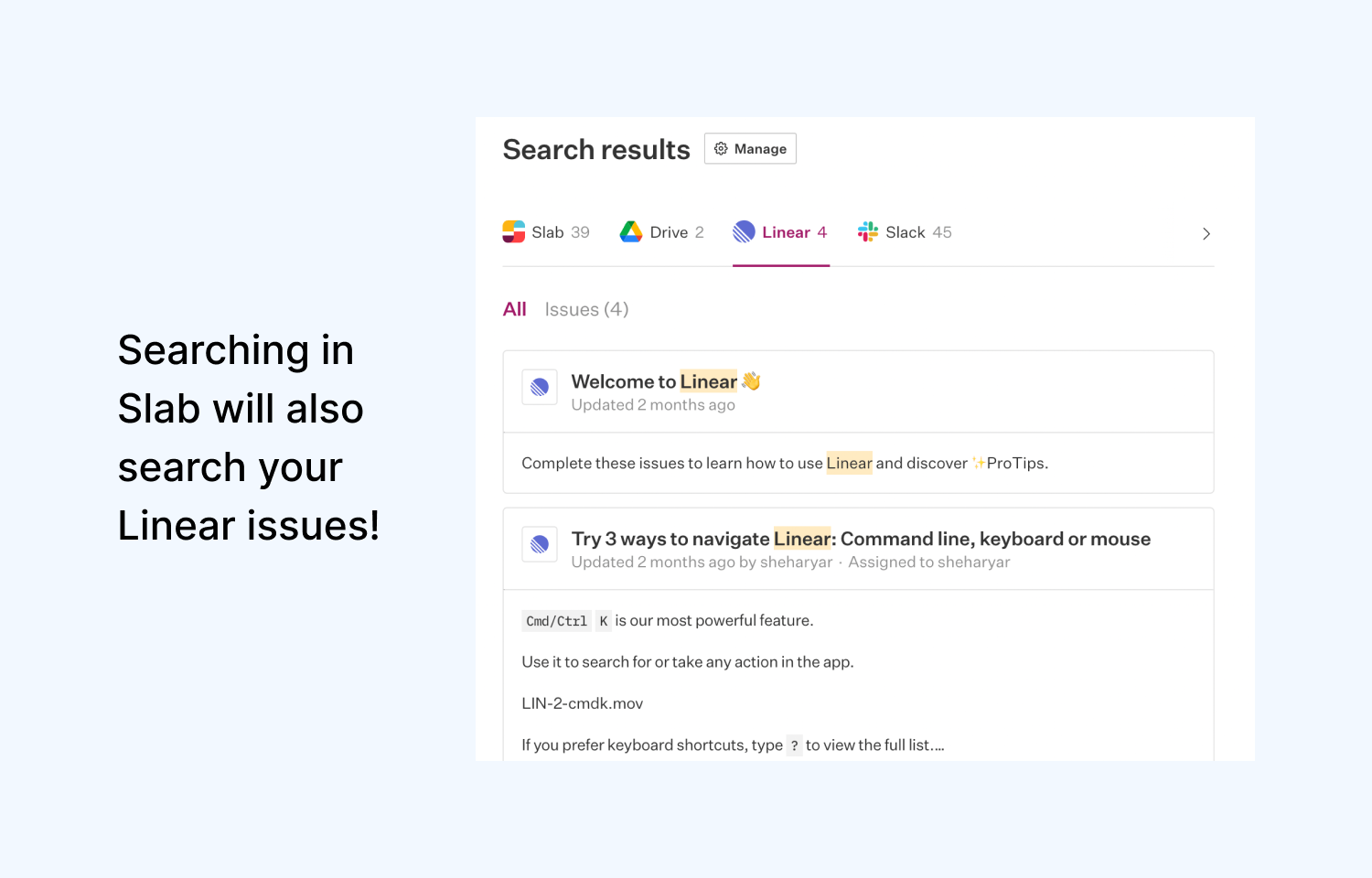
Slab is a knowledge base that helps teams easily create, organize, and discover knowledge across the entire company. With this integration, you can embed, preview, and search all of your Route5 issues right from within Slab.
How it works
When you paste a Route5 issue link into Slab, it will automatically turn into a rich mention link. Hovering over this mention link will preview the contents and details of the Route5 issue.
Searching for answers from within Slab will also search your Route5 issues and return relevant results. No more opening dozens of tabs to look for where you previously saw something.
Configure
Go to your Slab admin settings to connect your Route5 account. You can pick which projects you want to be enabled with the mention and search functionality. Once enabled, anyone on your Slab team will be able to use and benefit from the integration.