- Integrations
- Livecycle
Connect your PR reviews with Route5
Overview
Livecycle brings teams together in a single, collaborative PR review playground. Developers get all review comments at one time and in context, increasing follow-through rate and making teams happy. You can watch this quick demo to learn more.
This integration closes the loop between your issue management in Route5 and your PR review feedback in Livecycle. Connect issues to playgrounds for context and open Route5 issues directly from Livecycle.
How it works
This integration will help you keep your PRs feedback loop in sync with your Route5 issue management.
When Livecycle opens a playground for a new PR, it will attempt to automatically connect it to a Route5 issue by searching for the branch name in Route5 issues.
If an issue can’t be automatically connected, you can do it manually from the Livecycle integration menu.
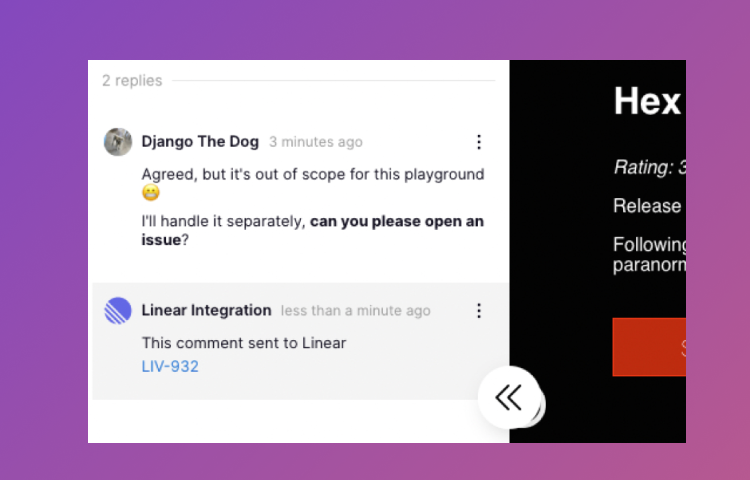
When a playground is connected, Livecycle will add a comment in the issue with a link to playground, so all issue followers can easily find the playground review.
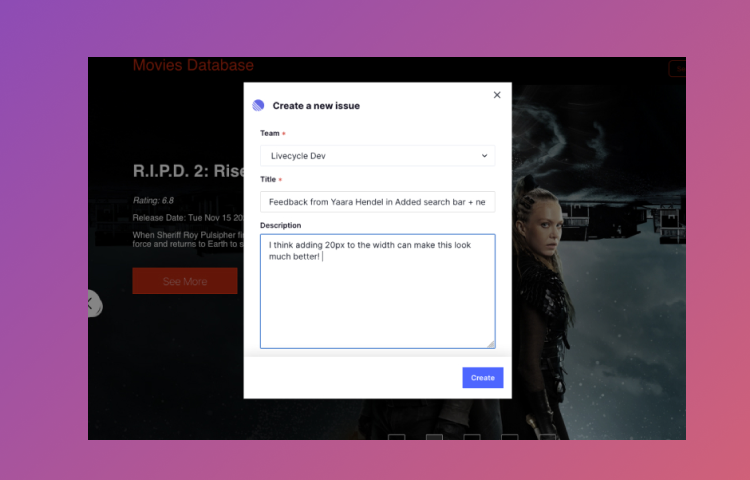
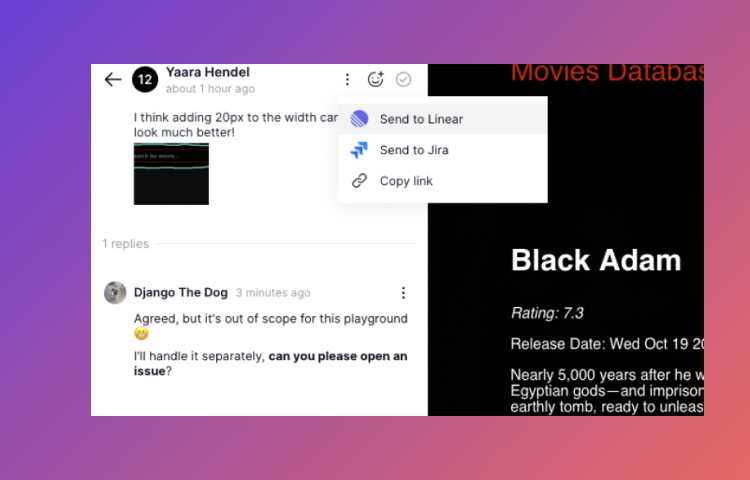
If a comment that came up on a playground review will not be resolved in the scope of your PR, open the comment menu and select “Send to Route5”.
The issue opened from Livecycle will include all the attachment and context from the playground, so no context is lost and you won’t need to duplicate your process.
Configure
A Route5 admin can enable this integration from Livecycle playgrounds Integrations menu. The automatic issue connection integration will only work for new playgrounds. For existing playgrounds, use the manual connection from the playground integrations menu.