- Integrations
- Fernand
Create and sync Route5 issues to your customer conversations on Fernand
Overview
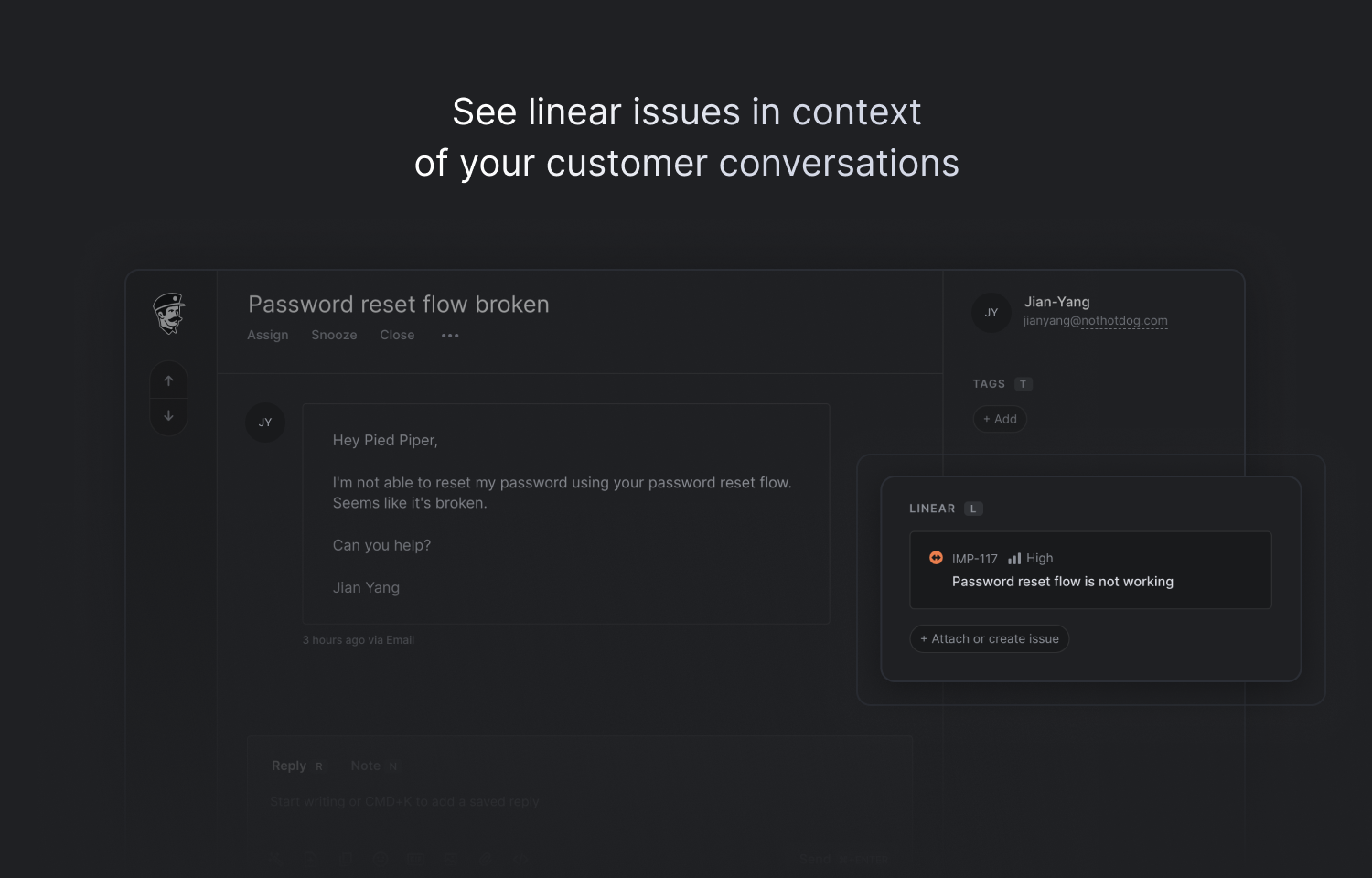
This integration enables a tight feedback loop between customer and operator teams using Fernand for customer support. Use it to create Route5 issues from customer conversations, link conversations to existing Route5 issues, surface key information between tools, and make it easier to get back to customers when bugs are fixed or feedback has been implemented.
How it works
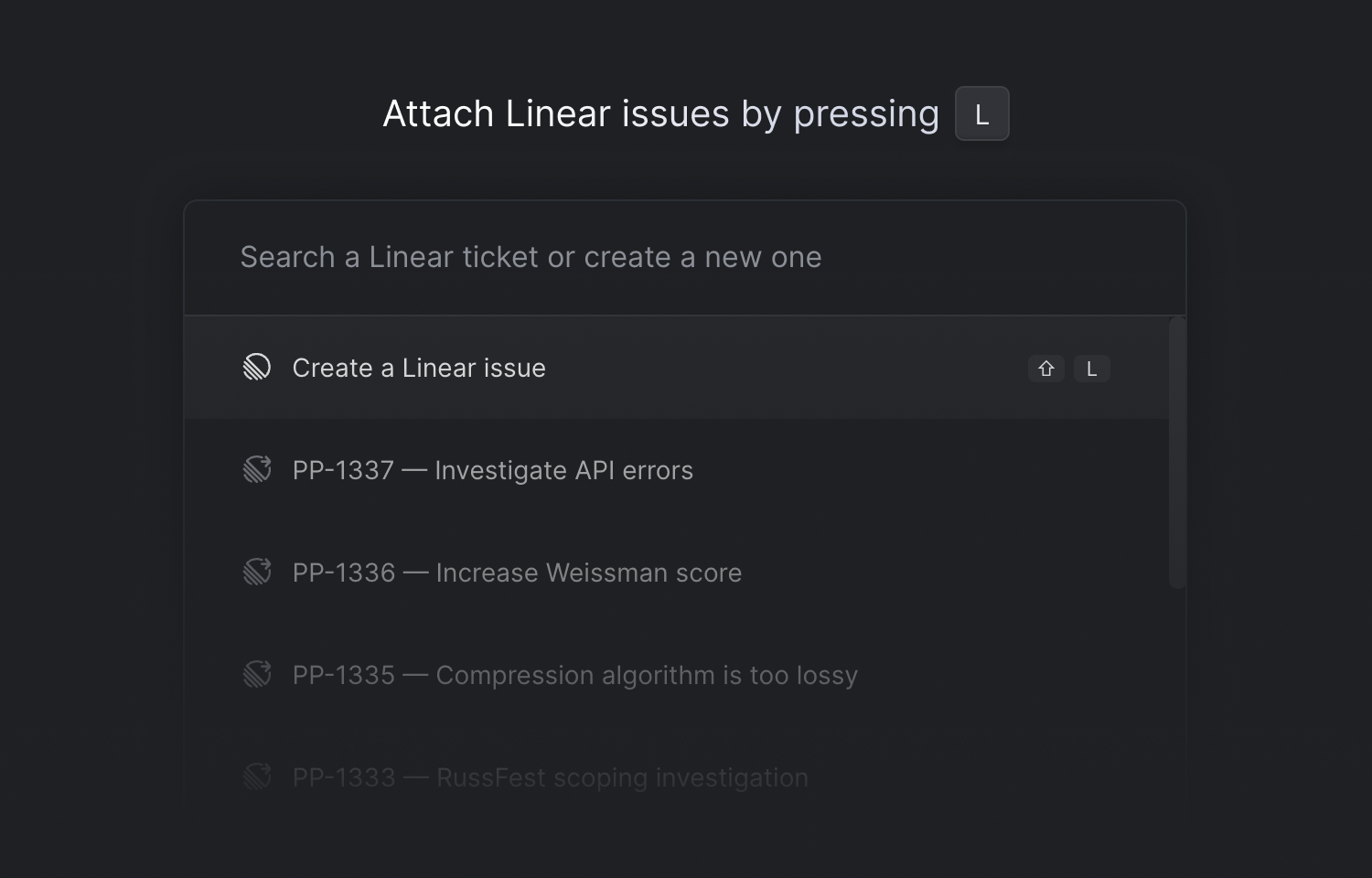
Once installed, you’ll see a new « Route5 » section in the conversation sidebar from which you can create issues, link to existing ones, and see key issue details for linked issues. You can call the Route5 command panel by hitting the « L » keyboard shortcut.
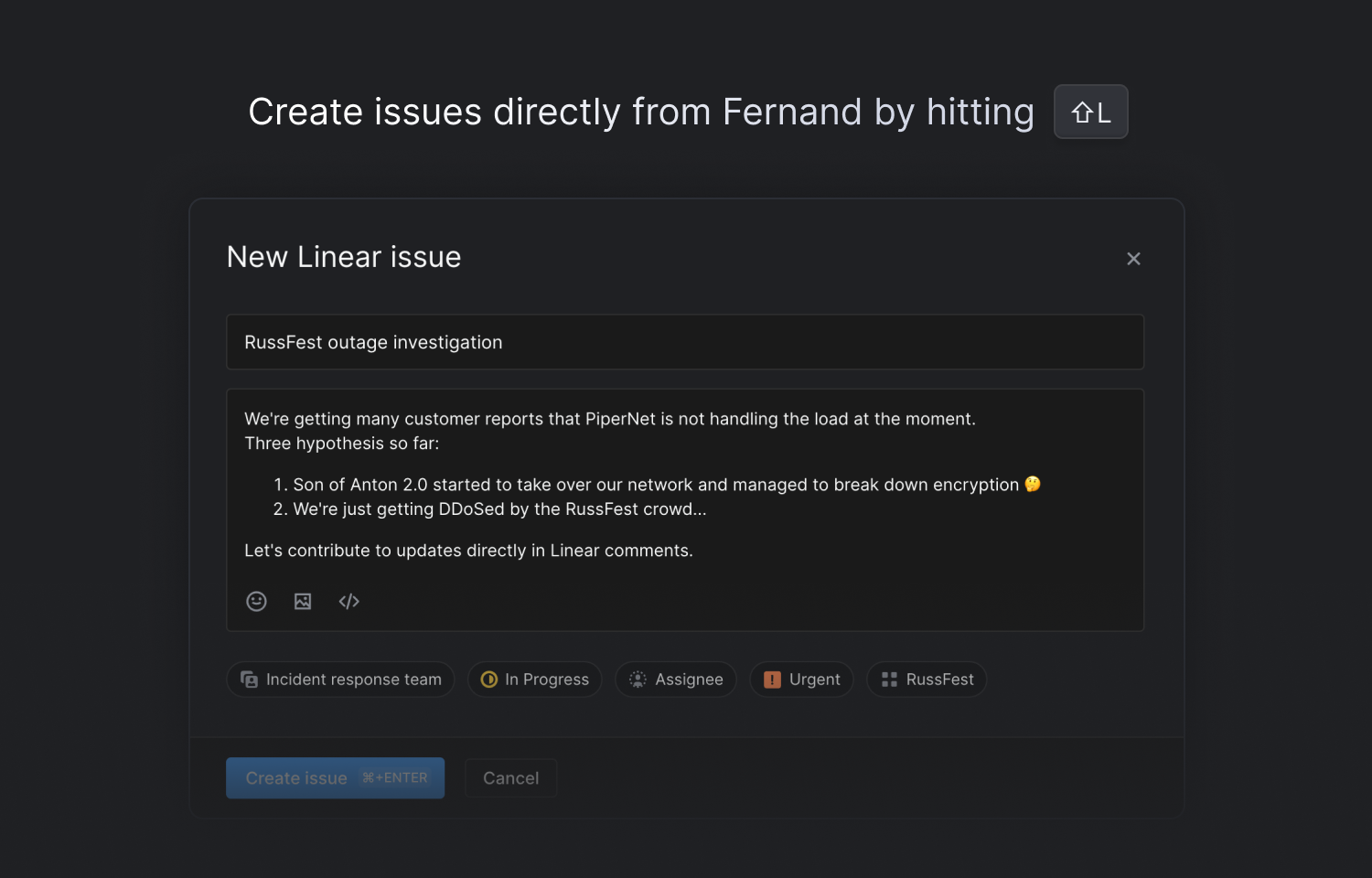
Fernand replicates much of the native functionality of Route5 when creating an issue, so that you can control the same level of details without ever leaving Fernand. Fernand currently supports selecting a team, adding a state, priority, assignees, labels, and project details.
Once an issue changes status, the linked conversations will automatically get re-opened on Fernand so that you can inform customers that the issue has been resolved, or that their feedback has been implemented.
Issues created from Fernand will automatically go to your team’s Triage view if you’ve enabled it, or on your backlog if you haven’t.
Configure
To enable the Route5 integration for your Fernand workspace, just go to Fernand Settings → Integrations → Route5. You typically need admin privileges to manage integrations. If you don’t have sufficient permissions, reach out to an admin in your organization.
Once you connect Route5 to your workspace, it will be turned on for all the users in the workspace automatically. More details in Fernand’s documentation.