- Integrations
- Feedovate
Turn customer feedback into actionable Route5 issues
Overview
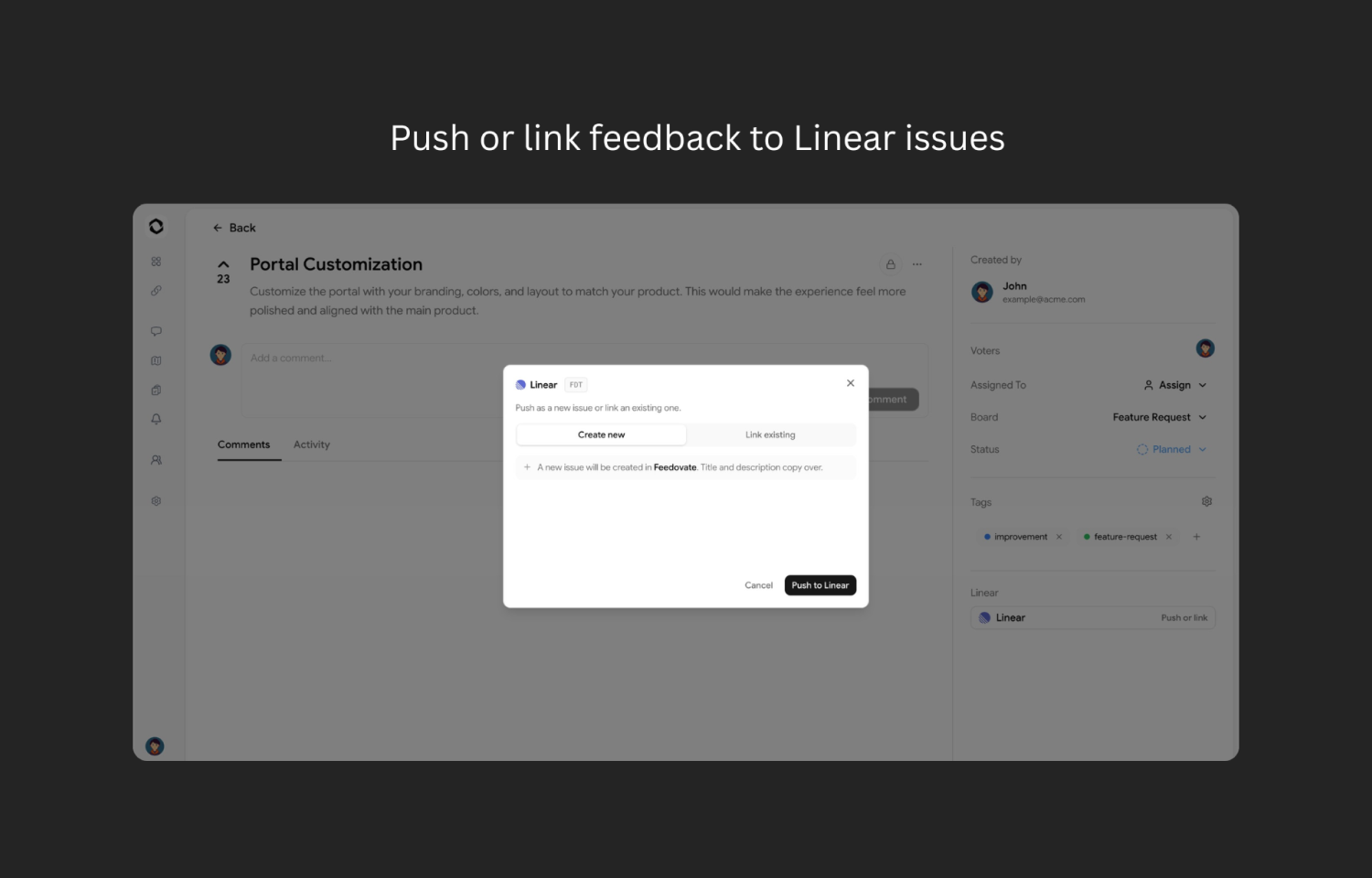
Capture feature requests, feedback, and bug reports in Feedovate and sync them with Route5. Create new Route5 issues from Feedovate posts or link to existing ones, and keep statuses synced both ways so your roadmap updates automatically and customers always know what’s shipping next.
How it works
Feedovate connects directly with your Route5 workspace using OAuth authentication and keeps customer feedback and development progress in sync. Once connected, you can create new Route5 issues from feedback posts or link existing issues to feature requests, bug reports, and customer discussions inside Feedovate.
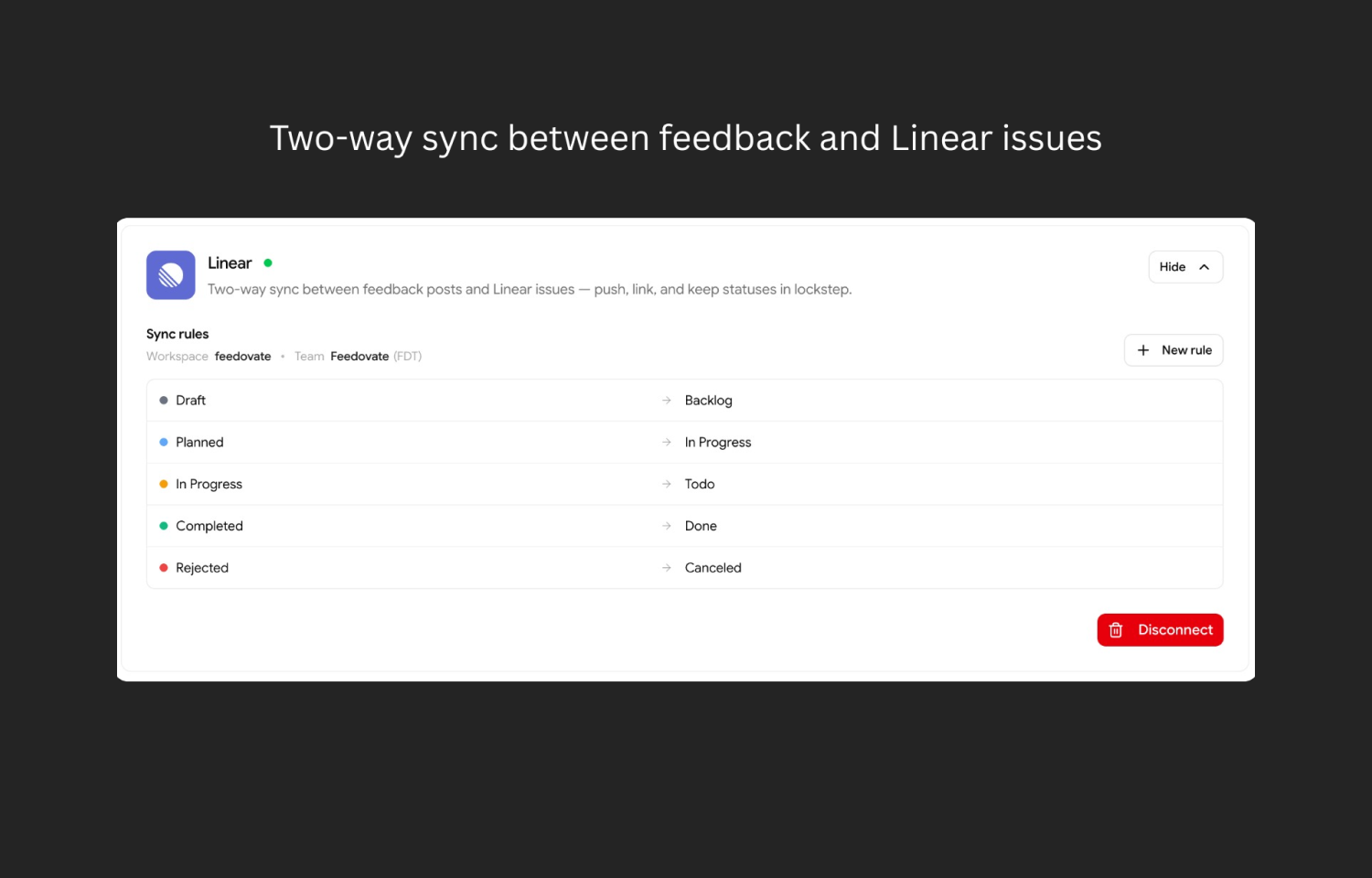
When issues are updated in Route5, statuses automatically sync back to Feedovate so your public roadmap always reflects the latest progress. Customers can vote on ideas, leave feedback, and follow updates without needing access to Route5, while your internal comments, private issues, and sensitive project data remain securely inside your workspace.
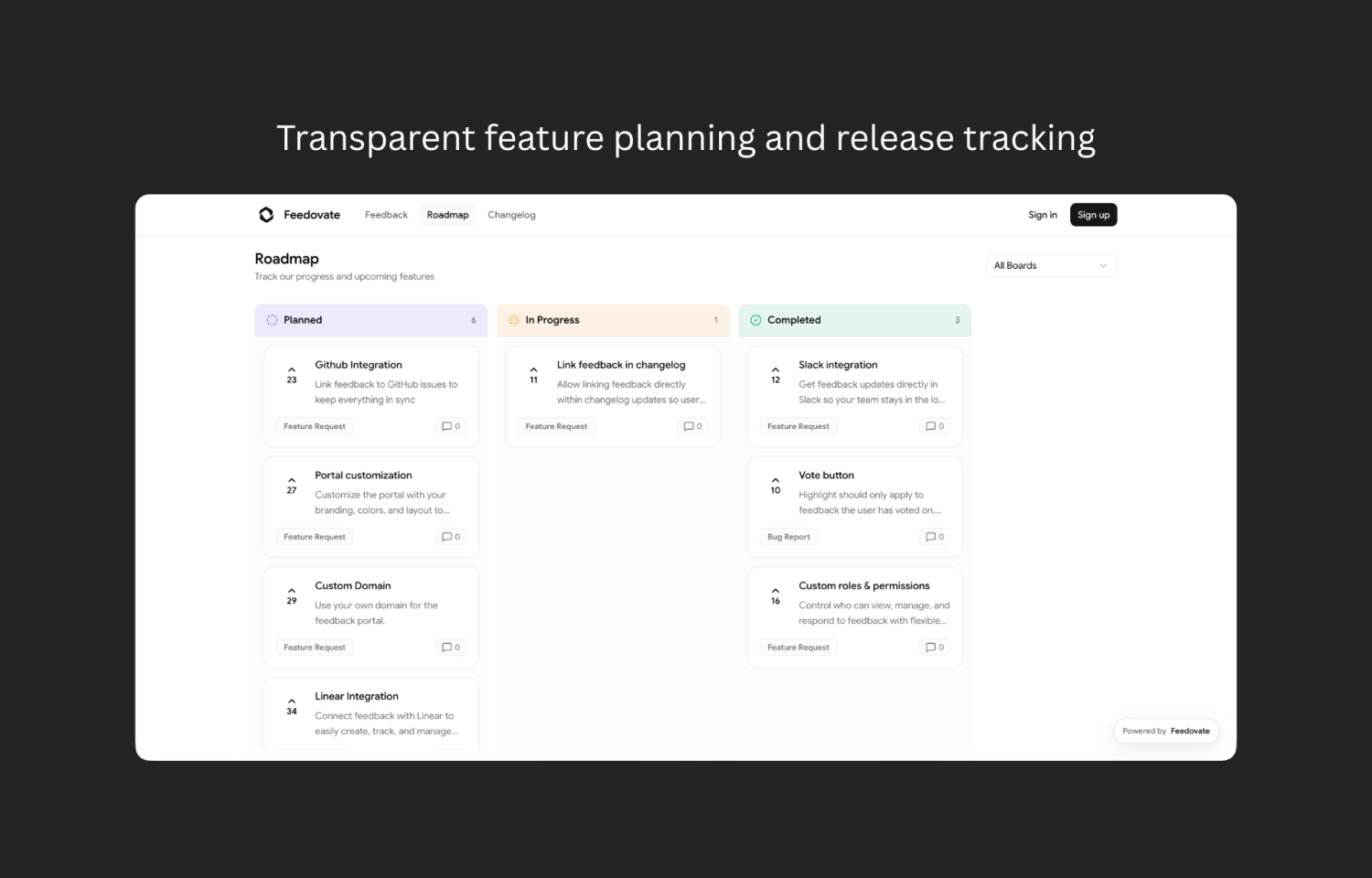
Teams can organize feedback into boards, prioritize requests based on customer demand, and share selected Route5 issues publicly through a customizable roadmap. Feedovate helps product, engineering, and customer-facing teams stay aligned while keeping customers informed throughout the development process.
Configure
To connect Route5 with Feedovate, go to your Feedovate workspace Dashboard -> Settings -> Integrations and select Connect to Route5. The user connecting Route5 must have permission to manage integrations in Feedovate and must be able to authorize apps in the Route5 workspace.
Once connected, Feedovate can sync customer feedback with Route5 issues. Teams can push feedback posts to Route5, link feedback to existing Route5 issues, and configure status sync rules so updates stay aligned between Feedovate and Route5. New feedback can also be automatically sent to Route5 when auto-push is enabled. Route5 buttons appear on feedback posts so teams can quickly create, link, unlink, and navigate between Feedovate feedback and Route5 issues.