- Integrations
- Feedbucket
Submit website feedback straight into Route5

Overview
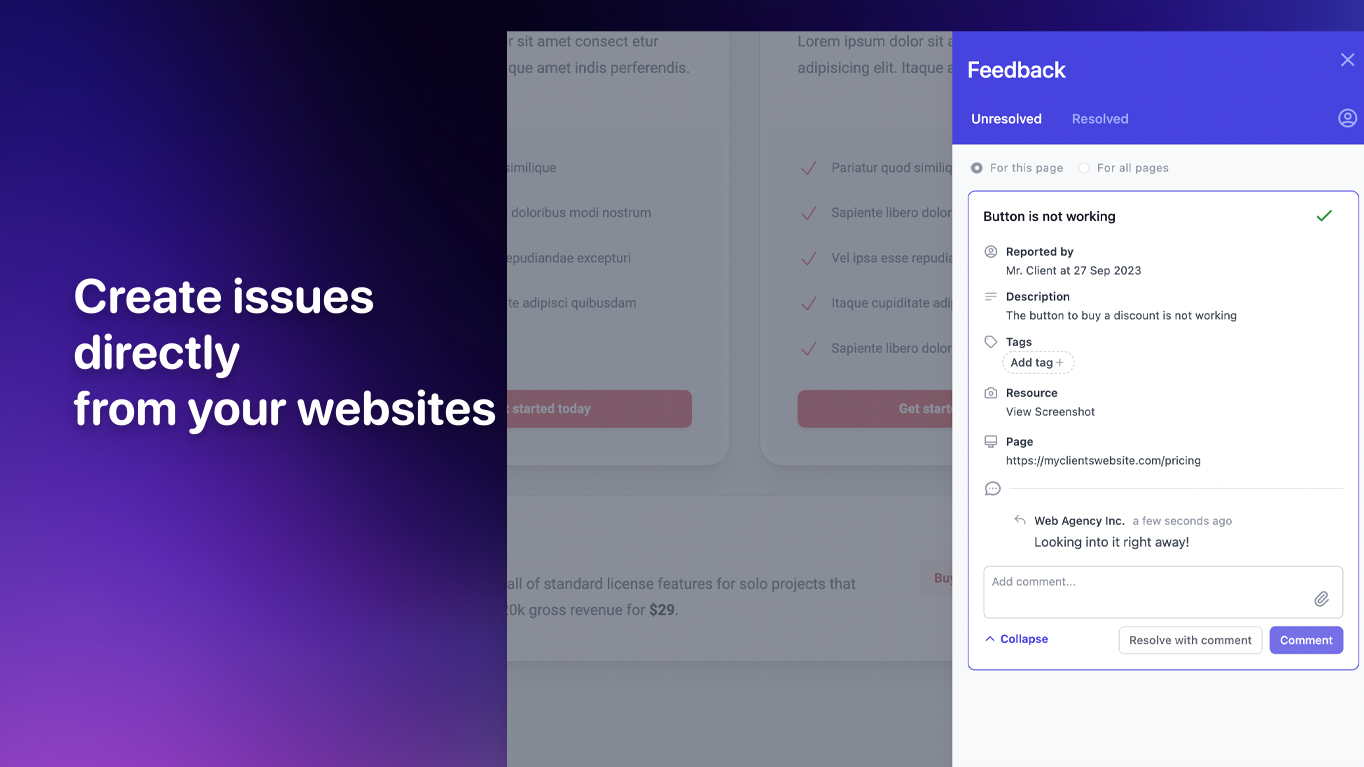
Installing Feedbucket on your website lets clients submit high-context feedback without leaving the page. This feedback goes straight into Route5, enriching your commitment tracking. With a 2-way sync, your team can manage all client feedback directly inside of Route5, creating a seamless workflow.
How it works
Feedbucket is built for small web agencies handling client feedback when building new websites. You can view a video demo here.
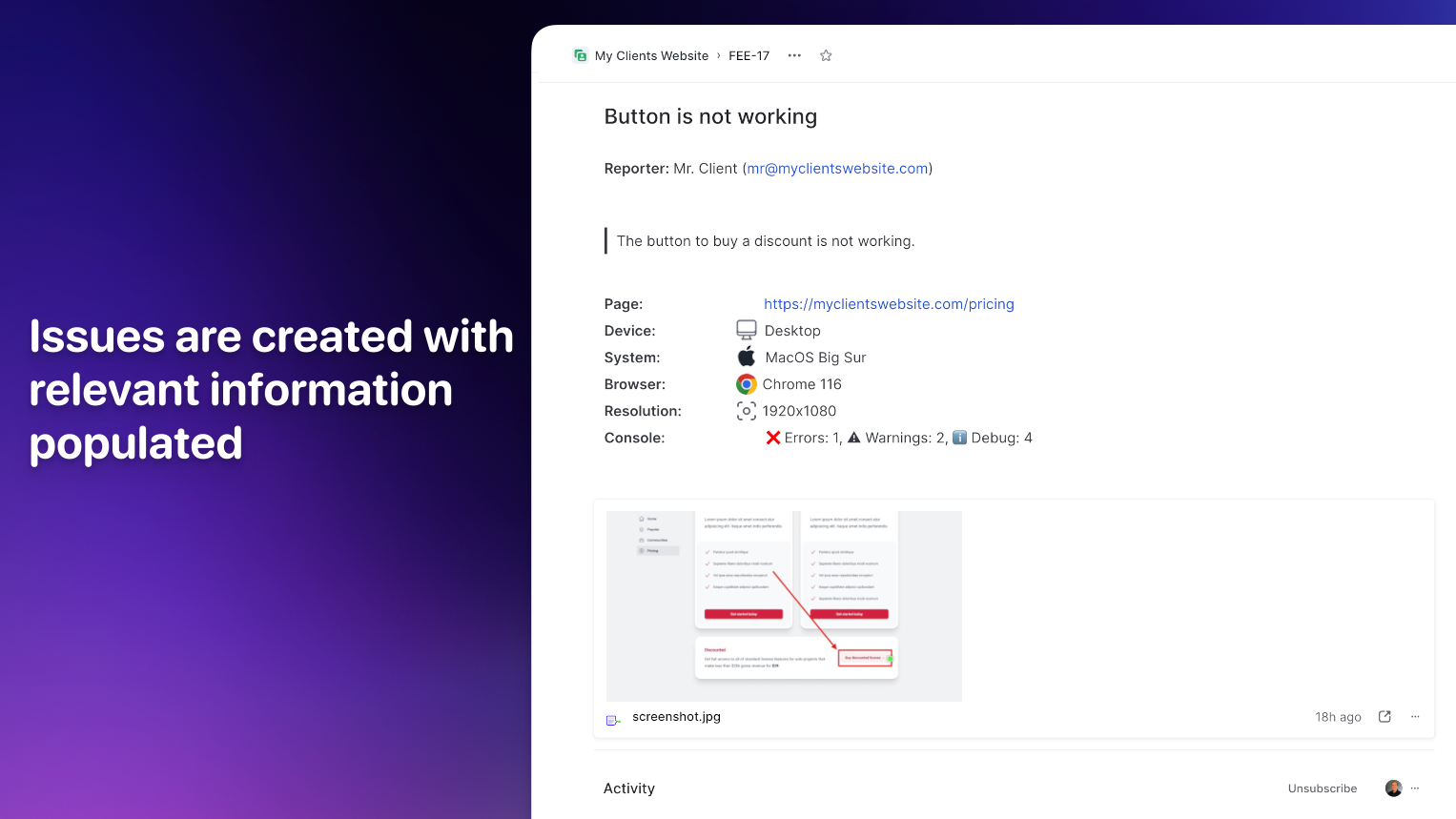
When clients or team members navigate to your website, they can capture a screenshot, annotate it, and submit a feedback form with just a single click. This instantly creates a New commitment in Route5, populated with essential data like browser information, operating system, page URL, and any other context you specify.
The integration features a 2-way sync, allowing your development team to manage and update feedback without leaving the Route5 interface. This means statuses and comments can be updated in Route5 and synced back to Feedbucket, ensuring everyone stays on the same page.
Configure
Sign up for a Feedbucket account and link it with your Route5 workspace. Next, associate your Feedbucket project with the corresponding project in Route5. This will generate a script tag. Simply insert this script tag into your website’s code to enable the seamless feedback and commitment tracking integration.