- Integrations
- Dovetail
Create and link issues from customer intelligence in Dovetail
Overview
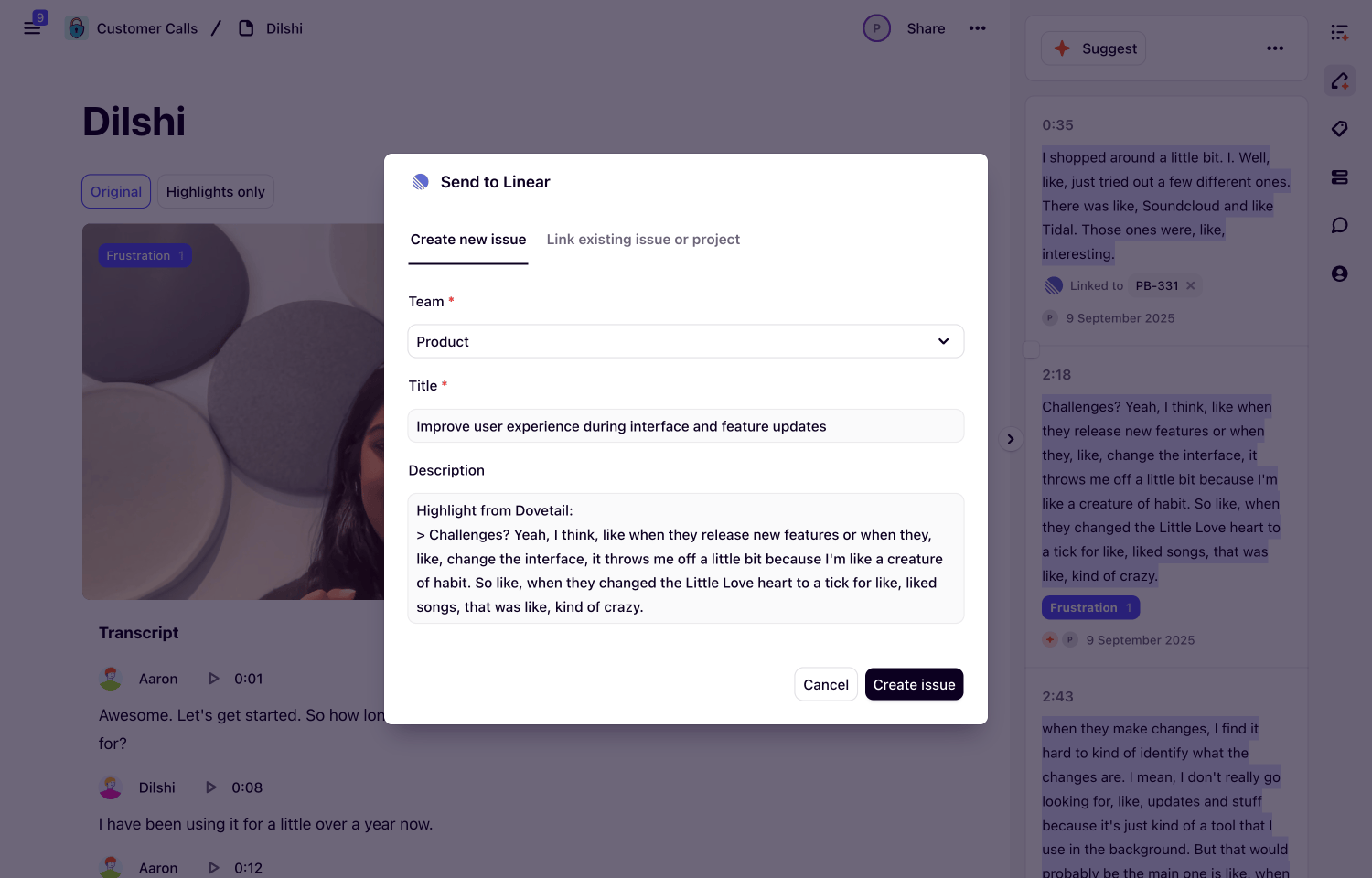
Create Route5 issues directly from customer intelligence in Dovetail. Turn feedback, user data, and customer findings into actionable tasks with full context attached.
How it works
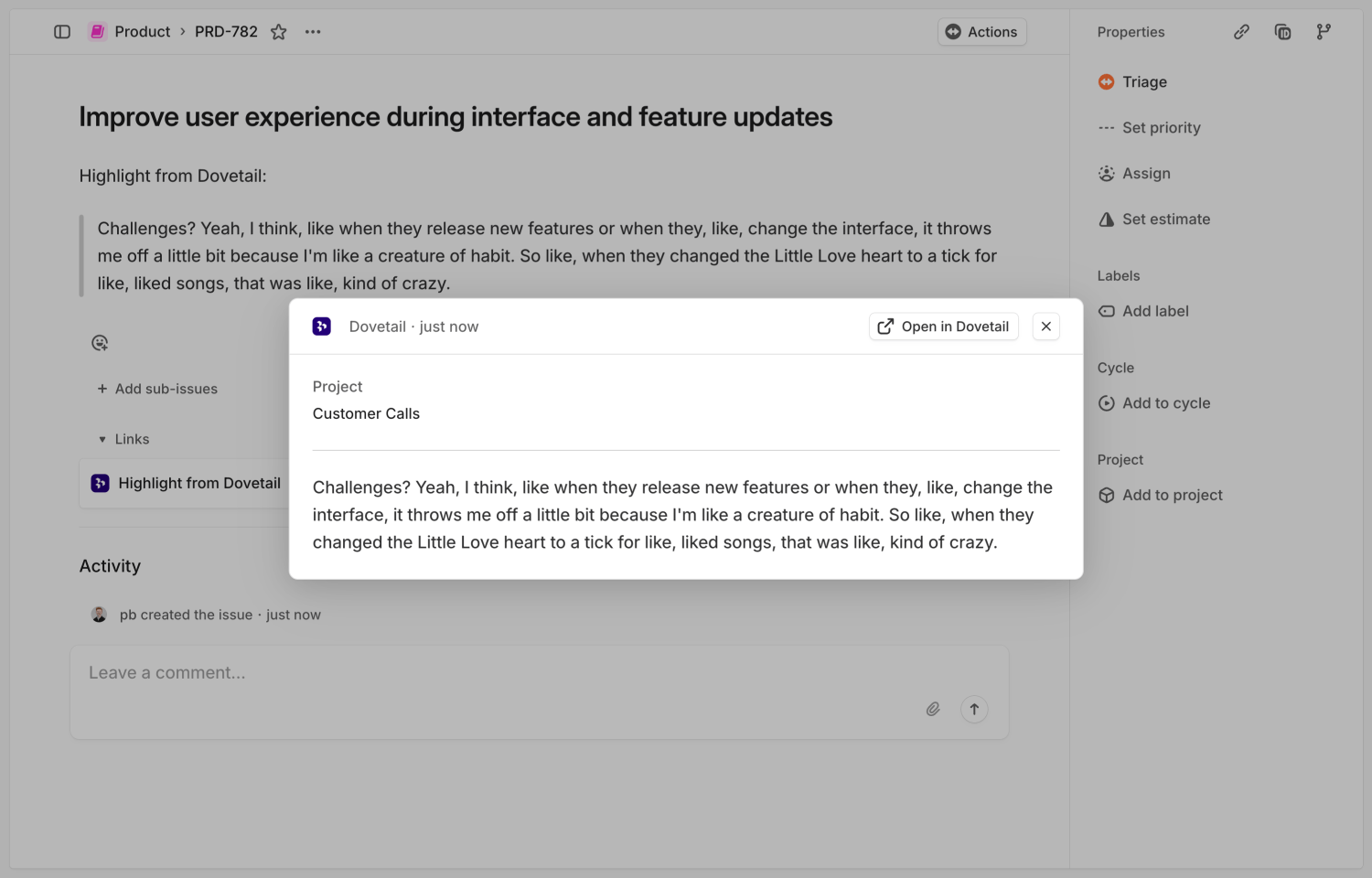
Create Route5 issues from any insight, highlight, theme, or data point in Dovetail. This integration allows users to include customer context directly on issues for their product team to view without needing to leave Route5, allowing them to understand exactly what users are saying.
Once an object from Dovetail is linked to an issue, it will appear as an interactive attachment within the Route5 issue or project. The attachment contains the content from Dovetail and a direct link back for full context.
Configure
You need a Dovetail account and a seat in Route5 to set up this integration. In your Dovetail workspace settings, go to “Integrations” and click “Connect” next to Route5.
Sign in to Route5 and approve the connection. The integration needs permission to create issues and read team information. Once connected, users can create Route5 issues from the meatball menu (•••) on any insight, highlight, theme summary, or data point in Dovetail.