- Integrations
- Currents
Report failing tests from Currents as Route5 issues
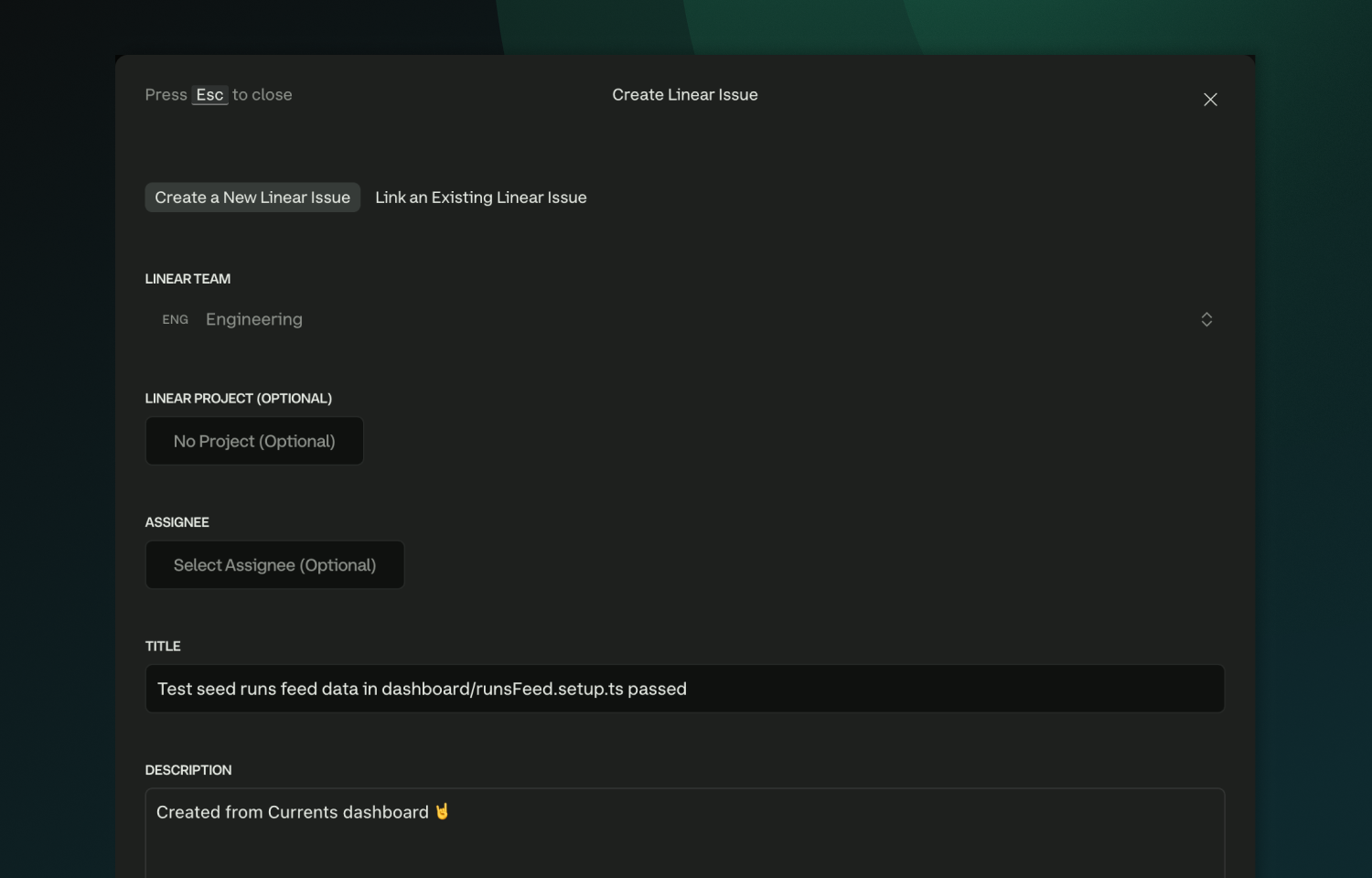
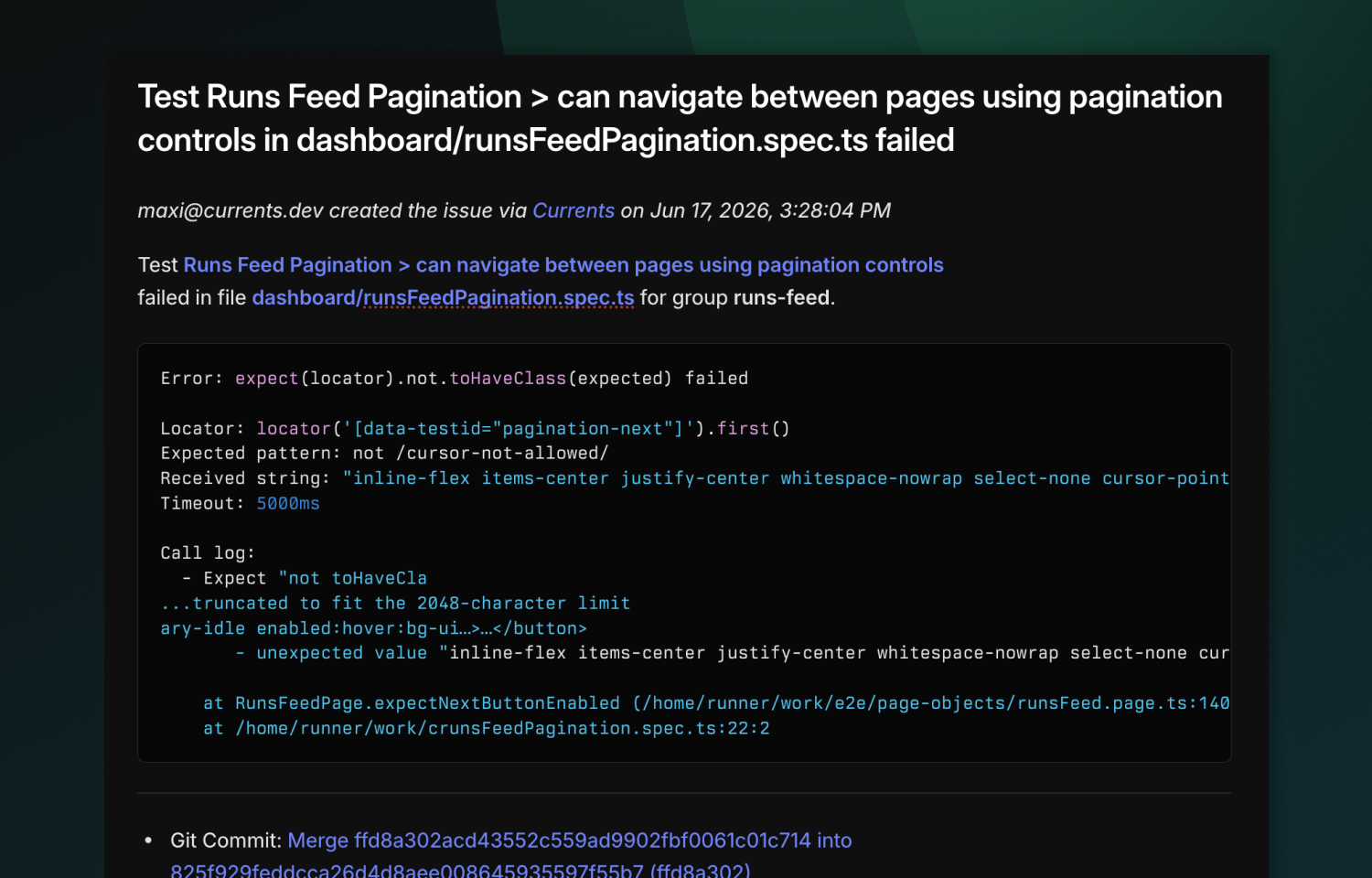
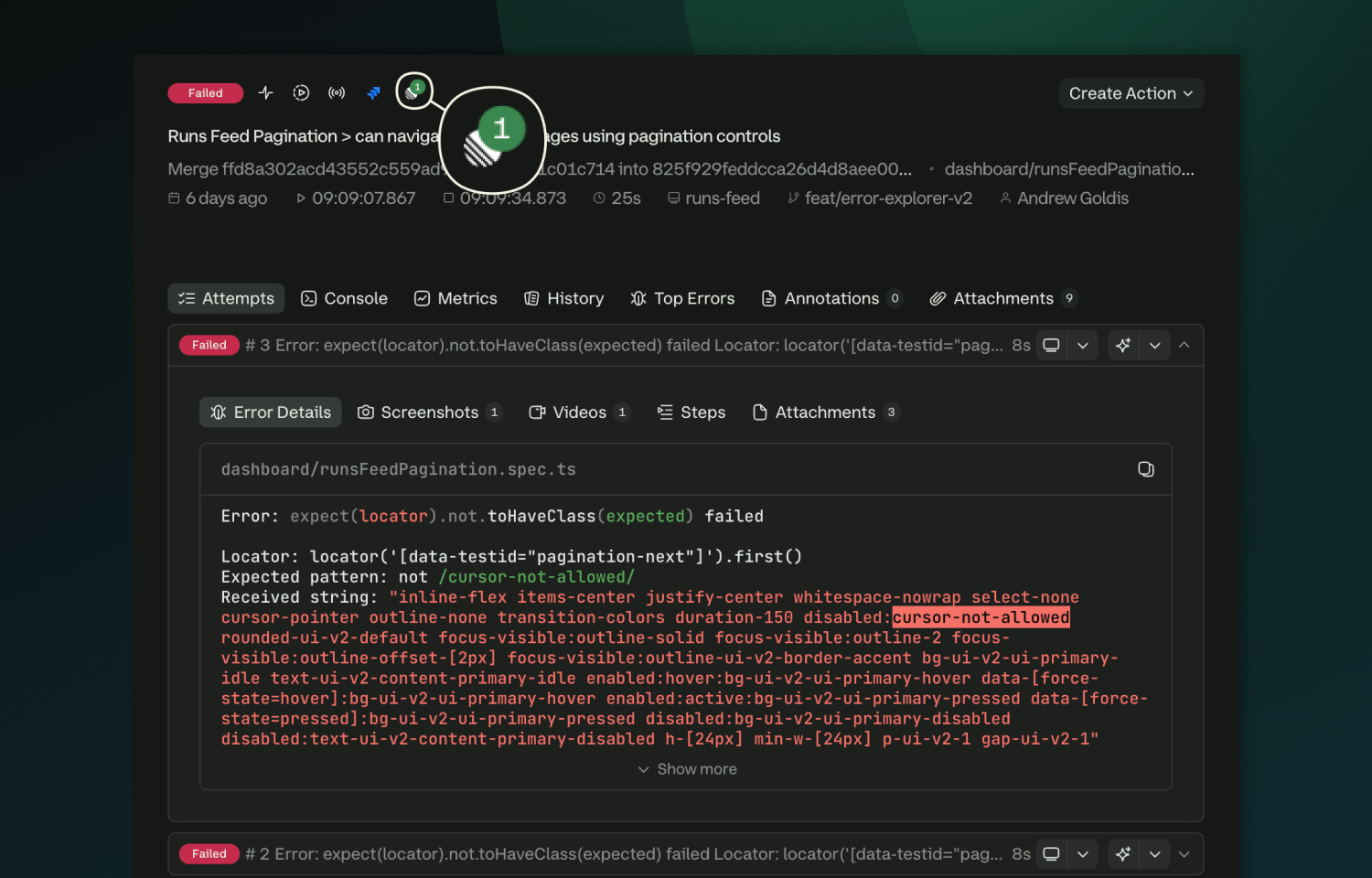
Overview
Currents connects your test results to Route5 so failing tests become actionable issues in one click. Each issue is automatically filled with the git and failure context your team needs to triage and fix faster, no copy-pasting required.
How it works
Currents turns failing tests into Route5 issues without leaving your dashboard. Create a New commitment from a test failure, choosing the Route5 team, project, and assignee, or link an existing issue when the problem is already tracked. Every issue is pre-filled with the git context and failure details (error messages, stack traces) needed to understand and reproduce the problem.
To keep things in sync, Currents marks tests that have linked Route5 issues, so you can see at a glance which failures are already being handled. Connections are managed at the workspace level, with access tokens refreshed automatically and revoked on uninstall.
Configure
- A Currents org admin opens Project → Integrations → Route5 and clicks Connect.
- A Route5 workspace admin approves the OAuth installation. It is installed at the workspace level, so admin permissions are required.
- Back in Currents, enable Route5 per project under the same Integrations page.
Requirements: Currents organization admin to connect and configure, and a Route5 workspace admin to approve the install. After setup, anyone on the project can create or link issues. Connecting, enabling or disabling per project, and disconnecting remain admin-only.