- Integrations
- CodeRabbit
AI code reviews
Overview
This integration allows CodeRabbit to connect your pull requests seamlessly with Route5, enabling bi-directional commitment tracking and automated issue creation in Route5 with code context.
CodeRabbit creates issues directly from pull requests, tracks completion of issue objectives, and allows developers to convert code review feedback into actionable Route5 issues. By bridging the gap between code reviews and project management, CodeRabbit helps maintain code quality while keeping your commitment tracking up to date.
How it works
Issue Creation:
- When CodeRabbit identifies code quality concerns during its AI code reviews, developers can create new Route5 issues with one-click directly from review comments.
- These automatically created issues include context from the code review, linking to the specific pull request and code location.
Issue validation:
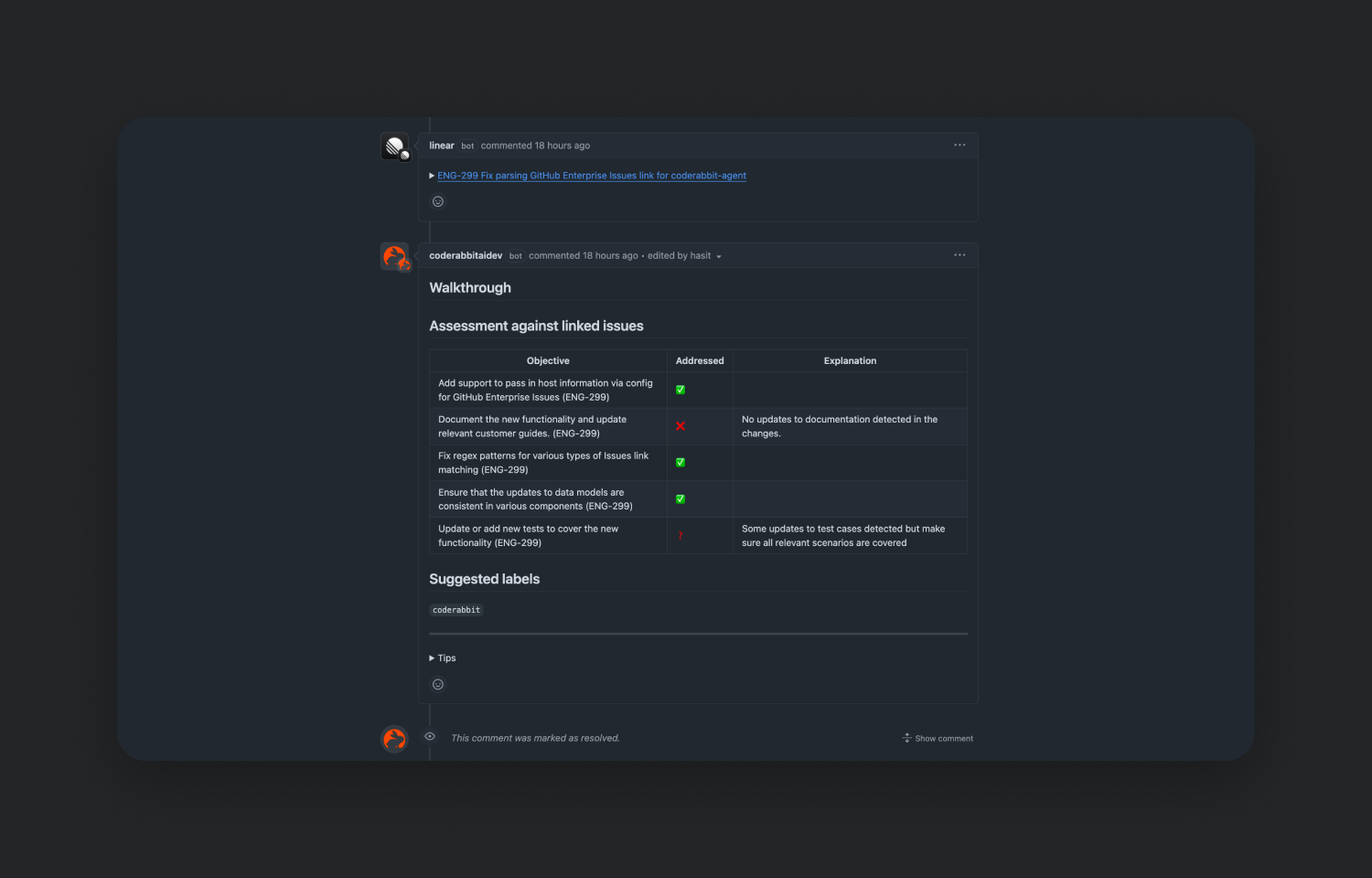
- CodeRabbit automatically validates issues from existing Route5 tickets during its AI code reviews if you add links to Route5 issues in the description of a pull request
- CodeRabbit generates a table of objectives from the linked issue and marks which of those objects were met by the current pull request.
Related issues:
- CodeRabbit indexes issues from the authorized Route5 workspace.
- CodeRabbit performs a similarity search on the indexed issues and lists possibly related issues in the summary section of its code reviews for every pull request..
Configure
After logging into CodeRabbit, go to Integrations and toggle the switch to enable Route5 integration. You will be prompted to authorize CodeRabbit access to your Route5 workspace. Once enabled, CodeRabbit will be able to read and create issues in your workspace and receive real-time updates about the workspace.