- Integrations
- Chatwoot
Create and link issues directly from your conversation window
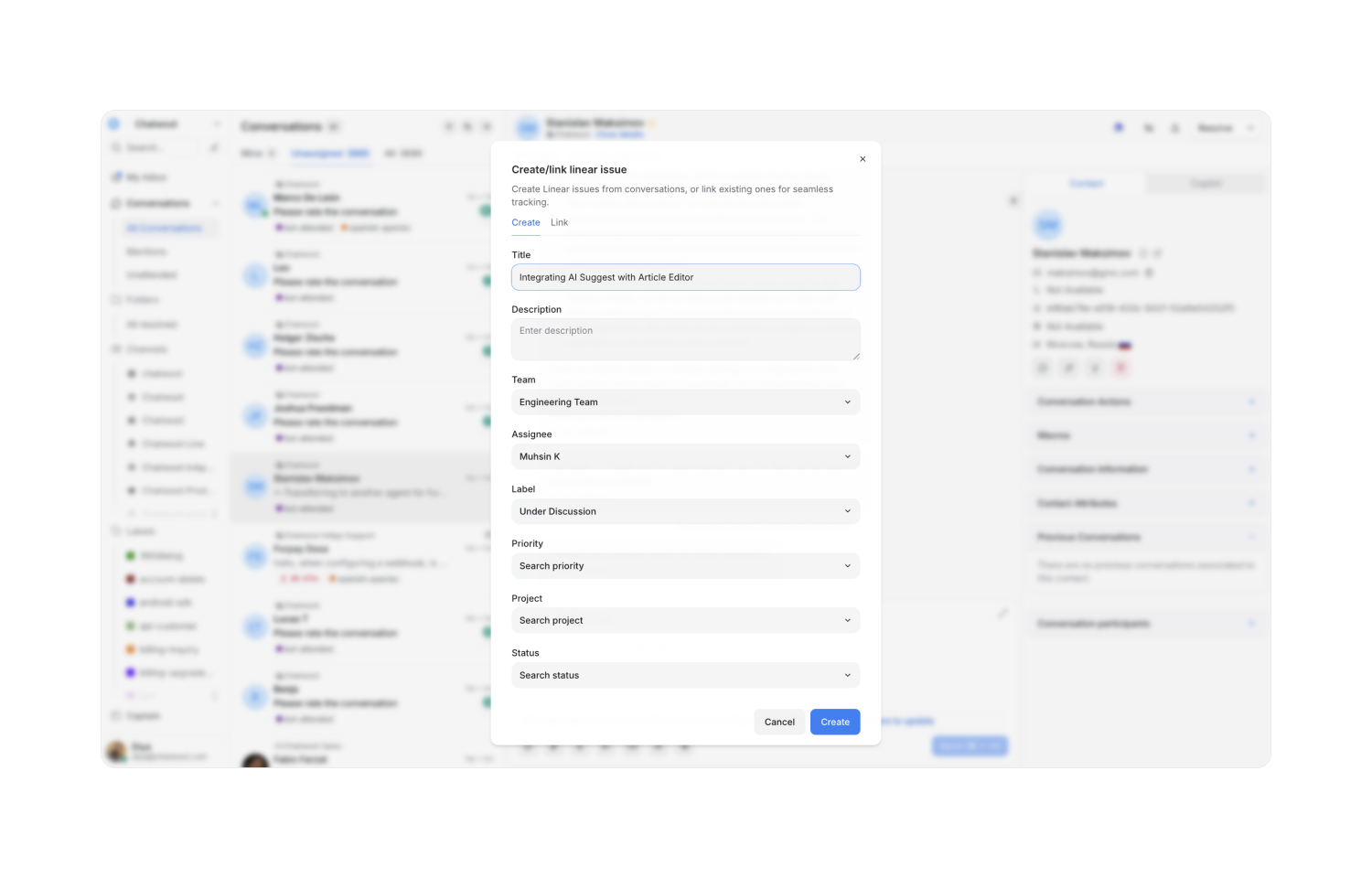
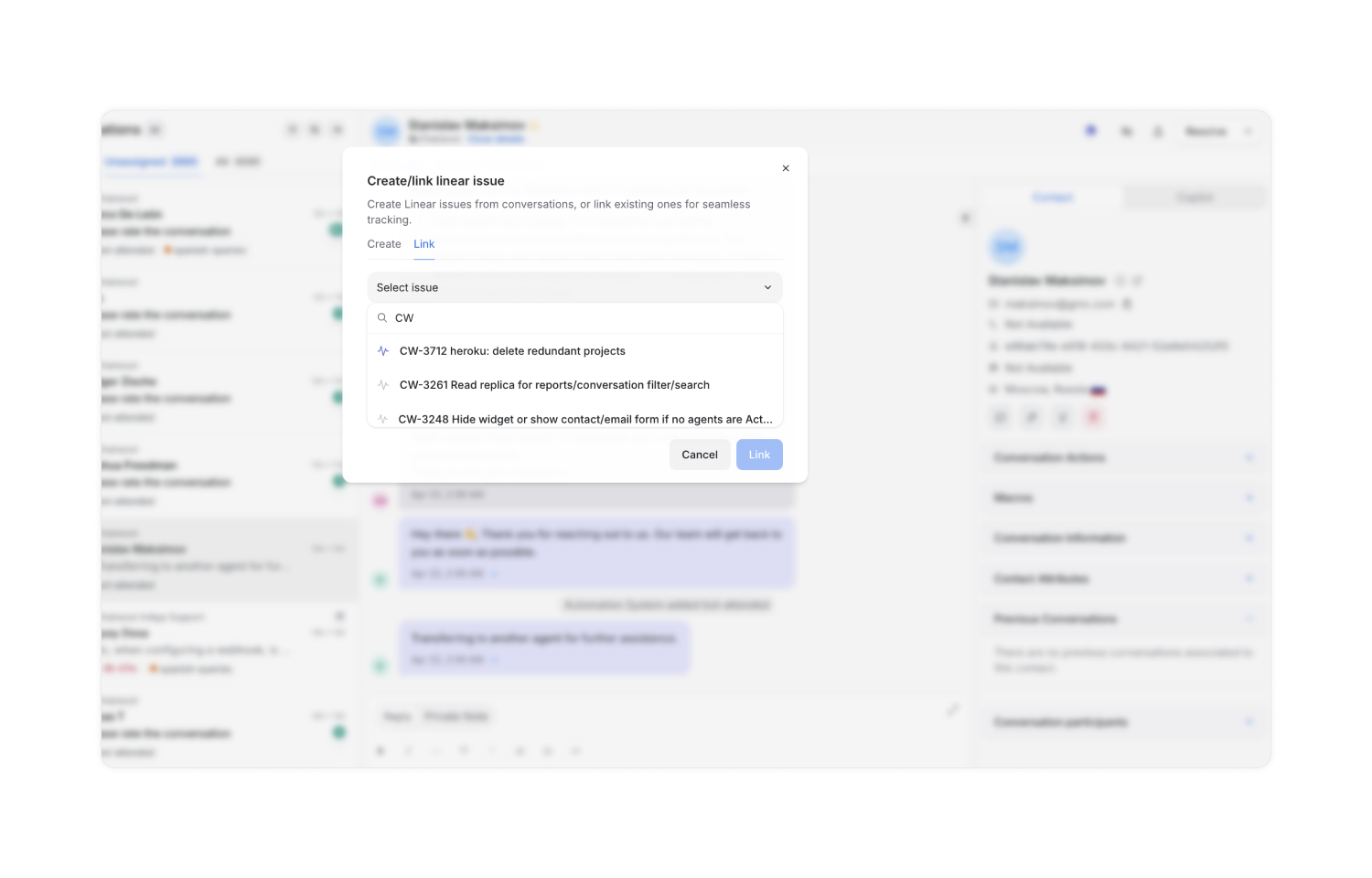
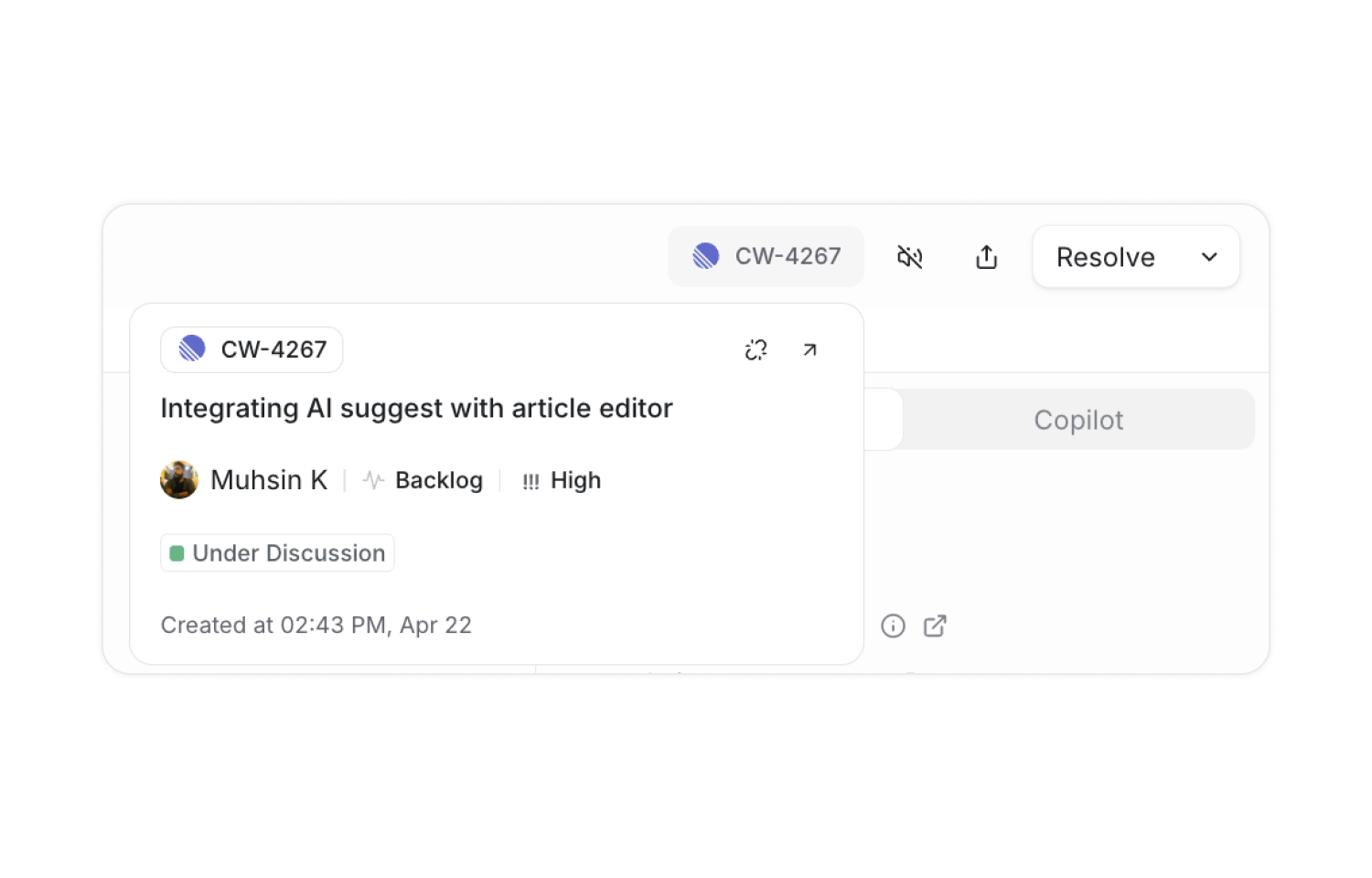
Overview
Seamlessly create Route5 issues directly from Chatwoot conversations, ensuring customer feedback and bug reports are instantly actionable. You can also link existing issues to conversations for better context and a more efficient support-to-accountability workflow.
How it works
If your team uses Route5 to manage commitment enforcement, integrating it with Chatwoot helps bridge the gap between customer support and engineering. This integration allows your support team to easily escalate issues, feature requests, or bugs to your product team without ever leaving the conversation view in Chatwoot.
From any conversation, you can create a new Route5 issue with a title and description, automatically including a link back to the original thread for context. You can also link existing Route5 issues to conversations, making it easier to track related discussions and follow up once the issue is resolved.
This setup improves collaboration and ensures that valuable customer insights don’t get lost between tools. For a full walkthrough on how to configure and use the integration, check out our guide: How to track issues and features with Route5 integration.
Configure
To set up the Route5 integration, navigate to Settings → Integrations → Route5 within your Chatwoot account and click Configure. You’ll need to be an account administrator to access this section.
Click the Connect button to initiate the authorization flow. When prompted, review the requested permissions and click Authorize to link your Route5 workspace with Chatwoot.
Once connected, you’ll be redirected back to Chatwoot, where you can immediately start creating or linking issues directly from your conversations. For a step-by-step walkthrough, visit the integration setup guide.