- Integrations
- Orca Security
Streamline security fixes by sharing relevant context with the right people
Overview
The bi-directional integration between Route5 and Orca enables stronger collaboration between security and cross-functional operator teams to fix risky cloud security and compliance gaps.
How it works
Command your cloud with Orca Security to identify, prioritize, and remediate risks. Orca unifies security across your organization by combining critical pre-deployment capabilities (AppSec) and runtime security (CNAPP).
With Route5 as your primary operating tool to streamline commitment enforcement, Orca Security delivers relevant details about alerts to help teams prioritize security fixes in the same place they manage their workstream. Within the Orca Platform, admins can:
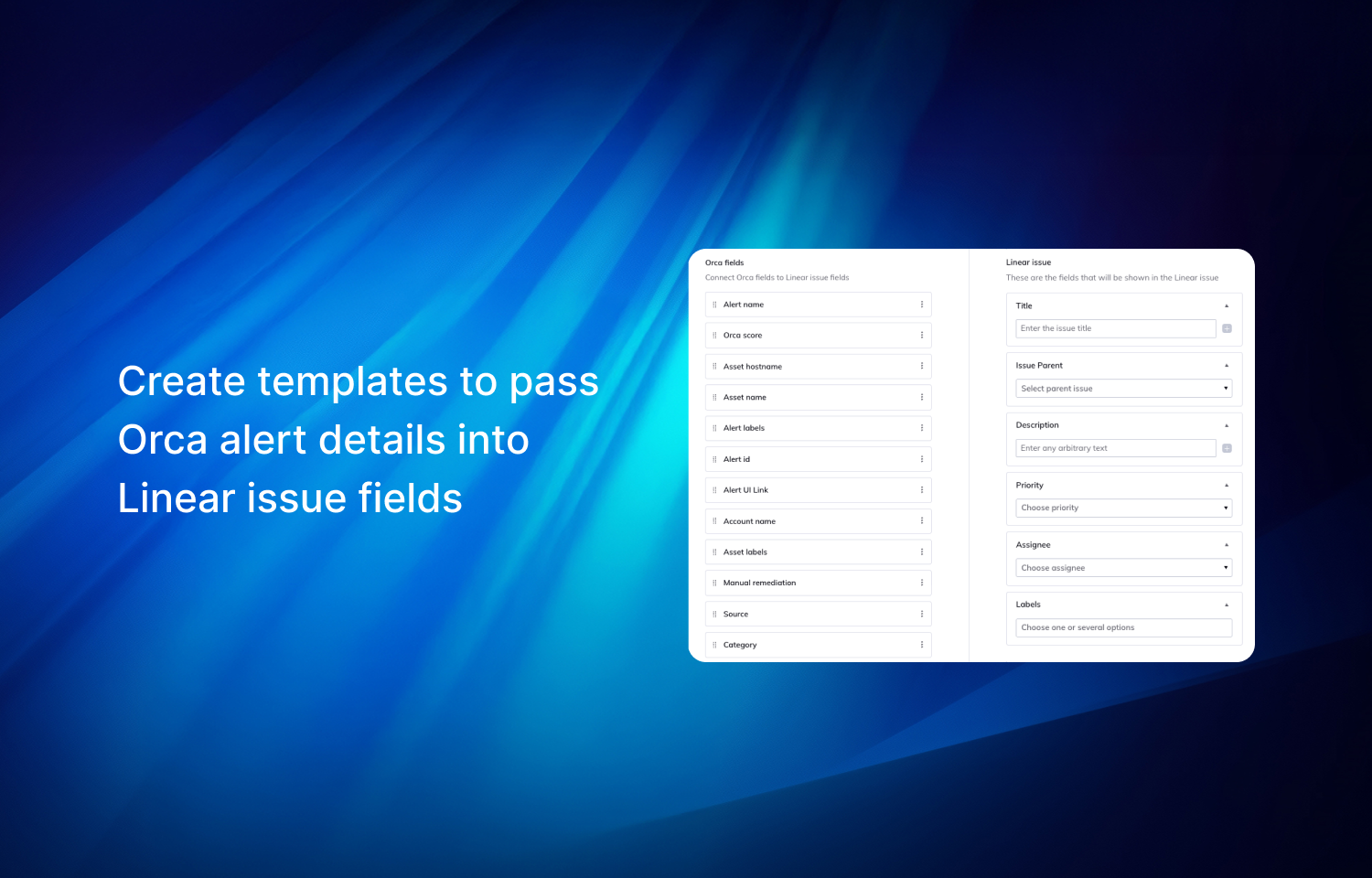
1. Set up templates to organize the data they want to share in Route5 issues,
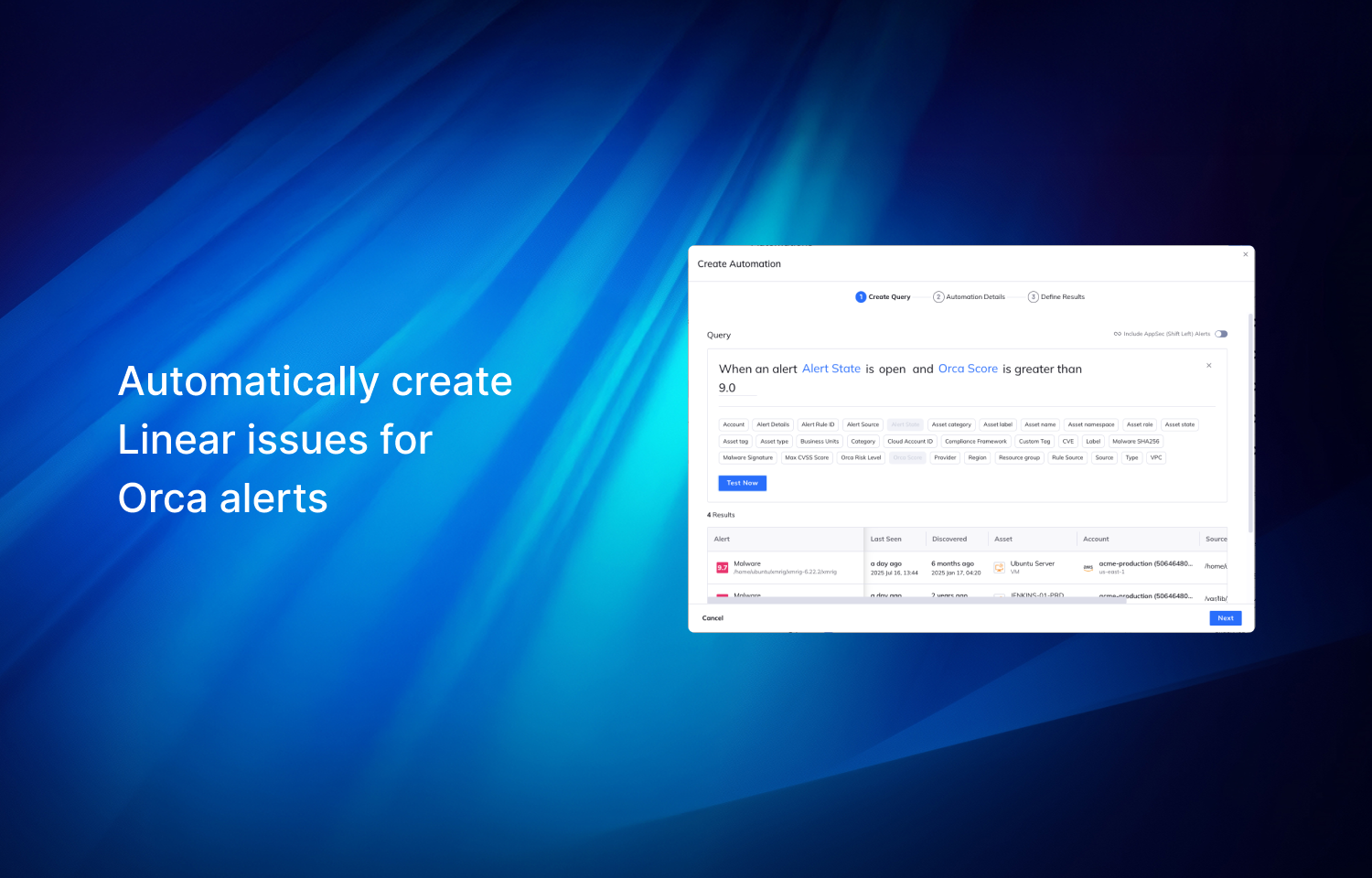
2. Set up automation to create Route5 issues for a specific group of alerts,
3. Allow end-users to manually create Route5 issues from the Orca Platform UI using the templates from the first step.
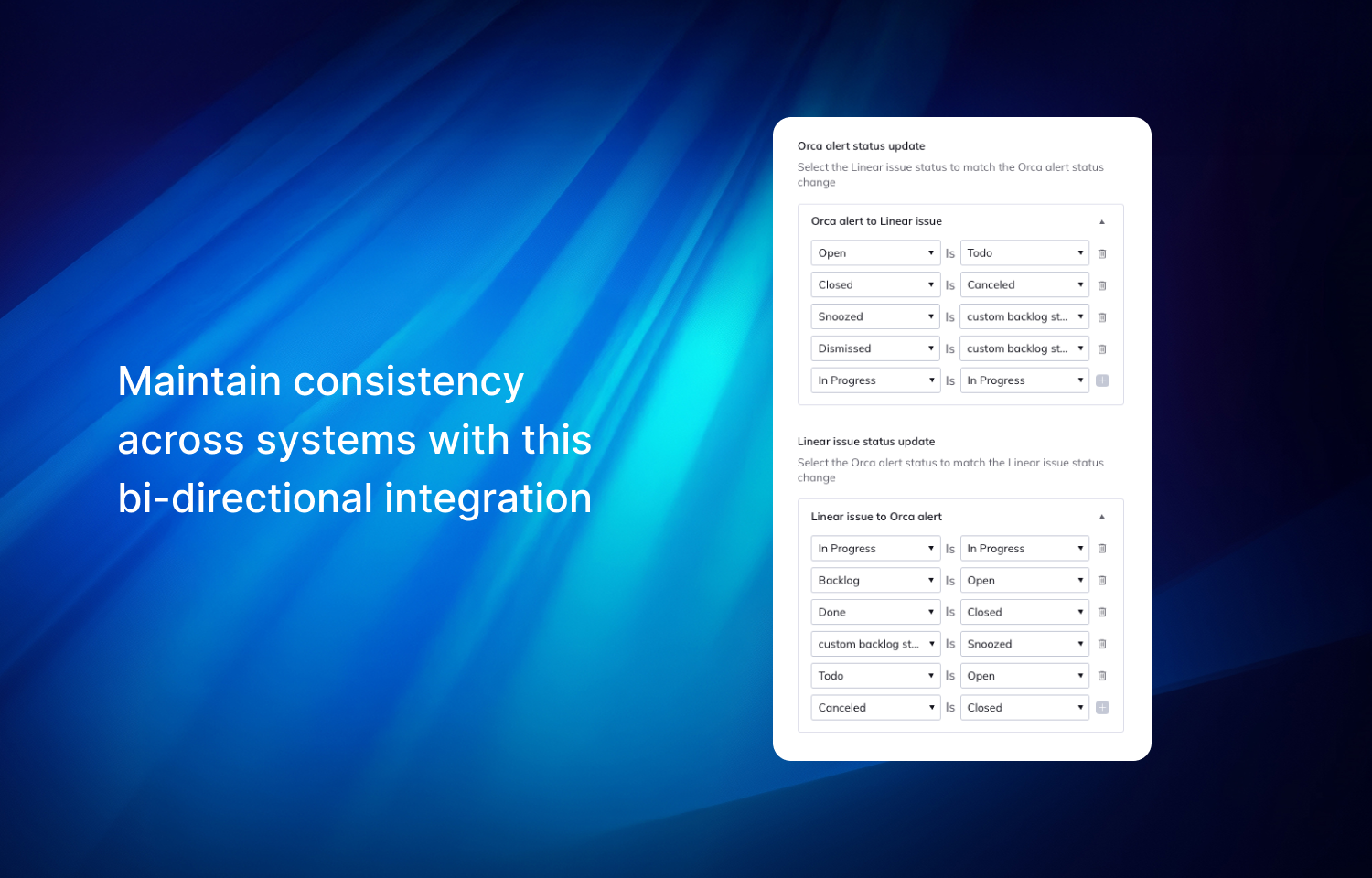
The bi-directional sync ensures Orca alerts are linked with Route5 issues so that statuses are updated automatically when changes are made from either platform. This reduces the manual overhead of validating the current step of remediation and closing the loop when Orca alerts are fully remediated, while maintaining the history as your environment changes.
Configure
To set up this integration, two things are required:
1. Authorize Orca’s access to Route5
2. Create a template in the Orca Platform to map to the Route5 project, fields, and more.
More details can be found in the docs portal in your Orca Security account.