- Integrations
- Linage
Turn Route5 cycle data into AI narrative reports
Overview
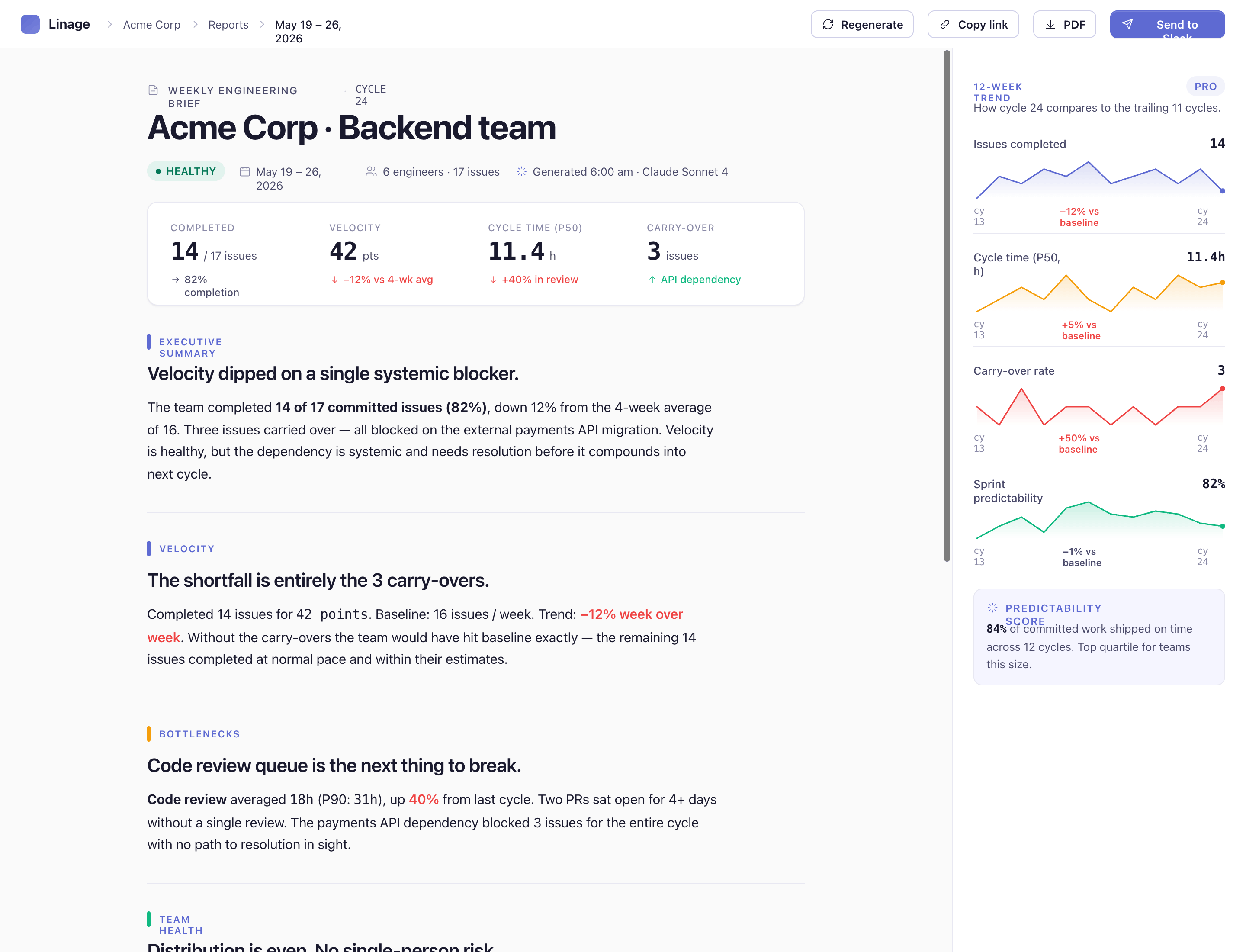
Linage connects to your Route5 workspace and automatically turns cycle data into a plain-English weekly engineering brief. Instead of digging through dashboards, engineering managers get a narrative report covering follow-through rate, completion rate, carry-overs, bottlenecks, and recommended next steps — ready to forward to leadership in under a minute.
How it works
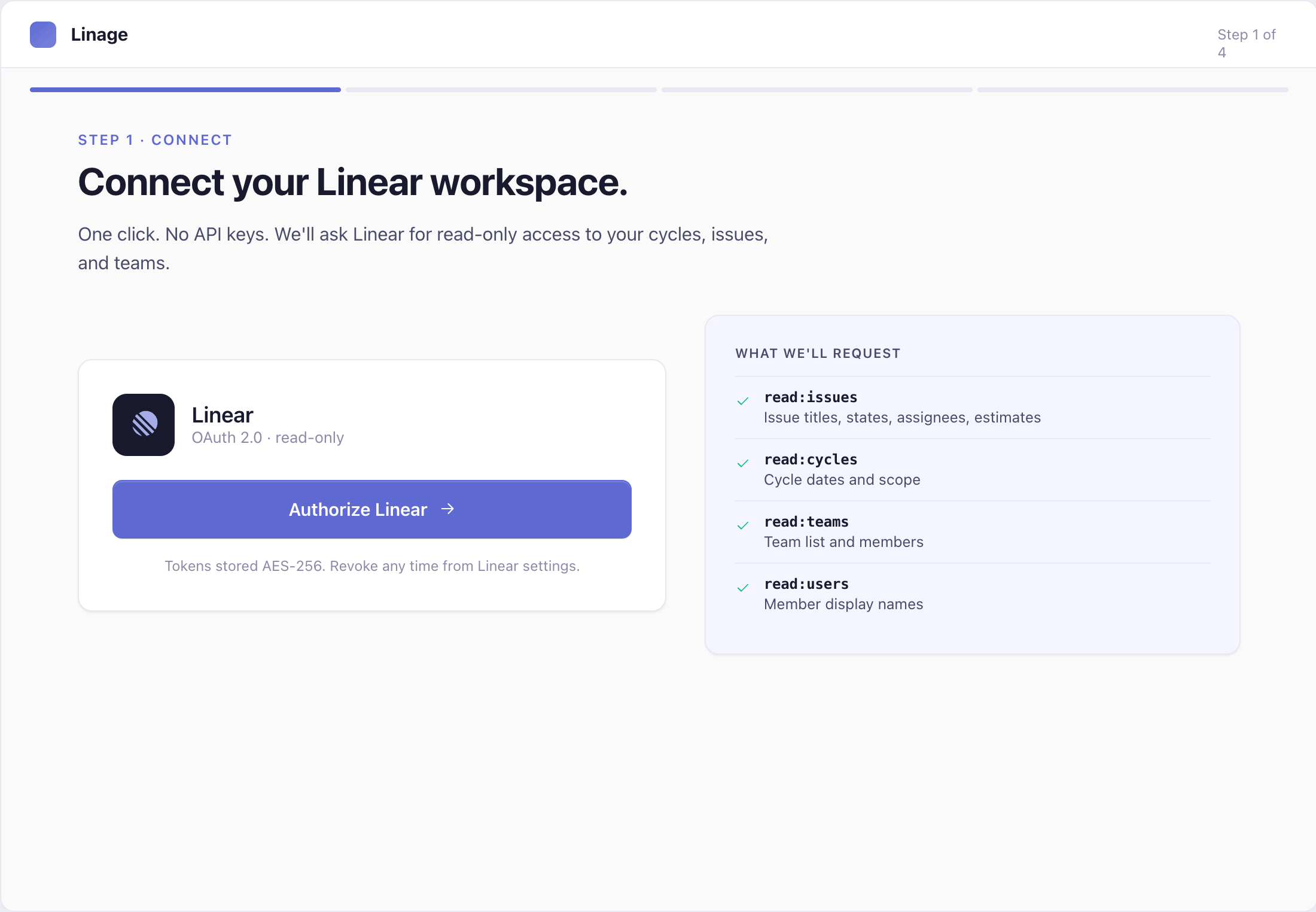
Once connected, Linage uses read-only OAuth to sync your completed cycles, issues, assignees, estimates, labels, and state history from Route5. It computes engineering metrics on the server — including follow-through rate trend, completion rate, carry-over count, cycle time, bottleneck stage, workload distribution and bug ratio — then sends those metrics, along with limited at-risk issue context when needed, to AI to write a structured narrative report.
Each report includes a health score, executive summary, highlights, risk analysis, and actionable recommendations. Reports can be viewed in the Linage dashboard, shared via a secure link, exported as PDF, or delivered automatically to Slack or email on a weekly schedule. You can generate a report on demand for any completed cycle, or let Linage run it automatically every Monday.
Linage never writes to Route5. It cannot create, edit, or delete issues. OAuth tokens are encrypted at rest, and you can disconnect Route5 at any time from Settings.
Free accounts include 3 lifetime reports; paid plans unlock unlimited reports, Slack delivery, and extended history.
Configure
Setup takes about five minutes and does not require Route5 workspace admin rights.
- Sign up at https://linage.ailaile.tech and create your Linage account.
- On onboarding step 1, click “Connect Route5.” You will be redirected to Route5 to approve read-only OAuth access (issues, cycles, teams, and users).
- On step 2, select which Route5 teams you want included in reports.
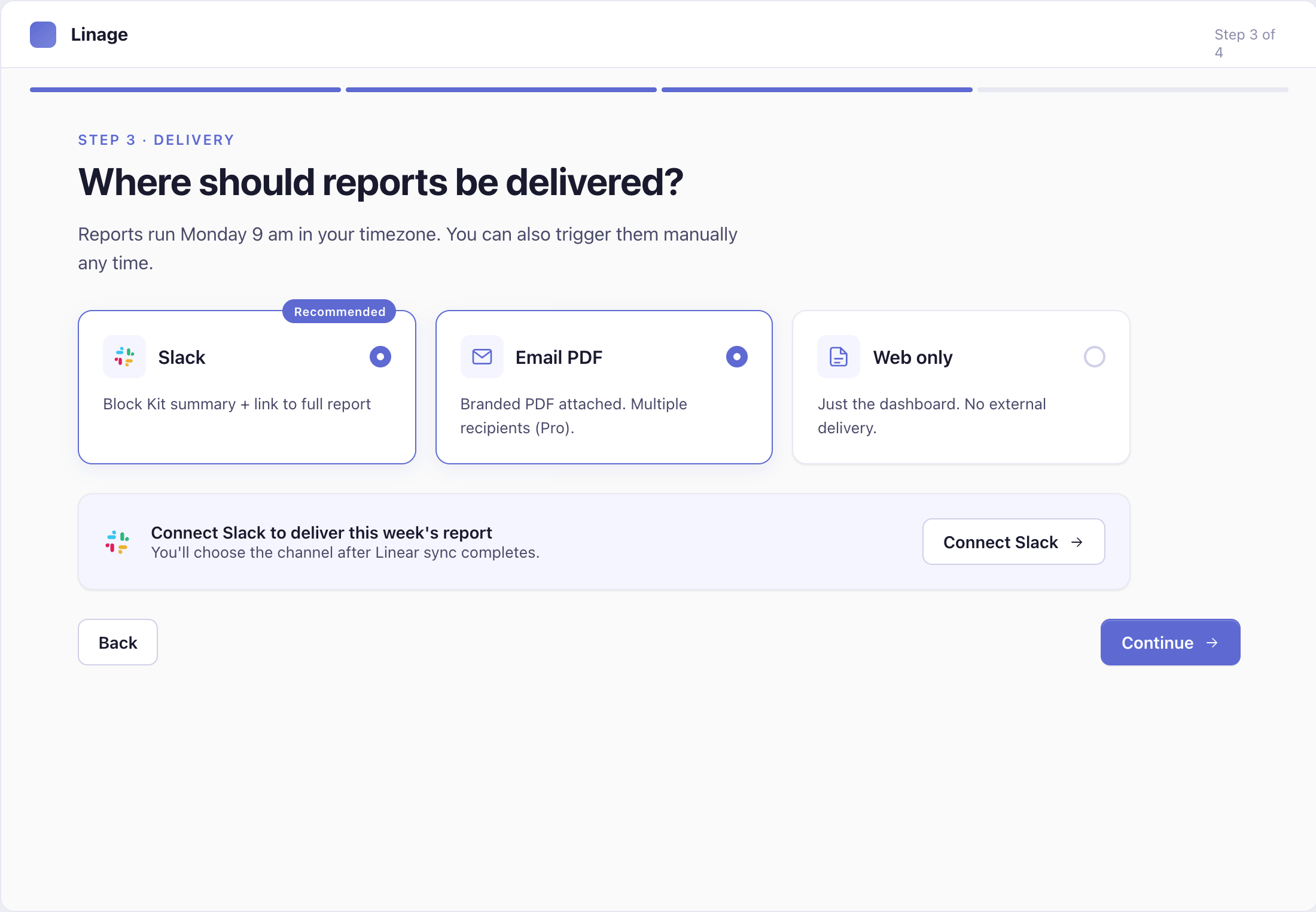
- On step 3, choose how you want reports delivered: Slack, email, or view-only in the dashboard. Slack delivery requires connecting a Slack workspace and selecting a channel (Pro plan).
- Linage generates your first report from the most recent completed cycle.
To update teams, delivery schedule, or re-authorize Route5 later, go to Settings in your Linage dashboard.
Privacy policy: https://linage.ailaile.tech/privacy