- Integrations
- Atlas Support
Keep a tight feedback loop with customers and streamline customer requests
Overview
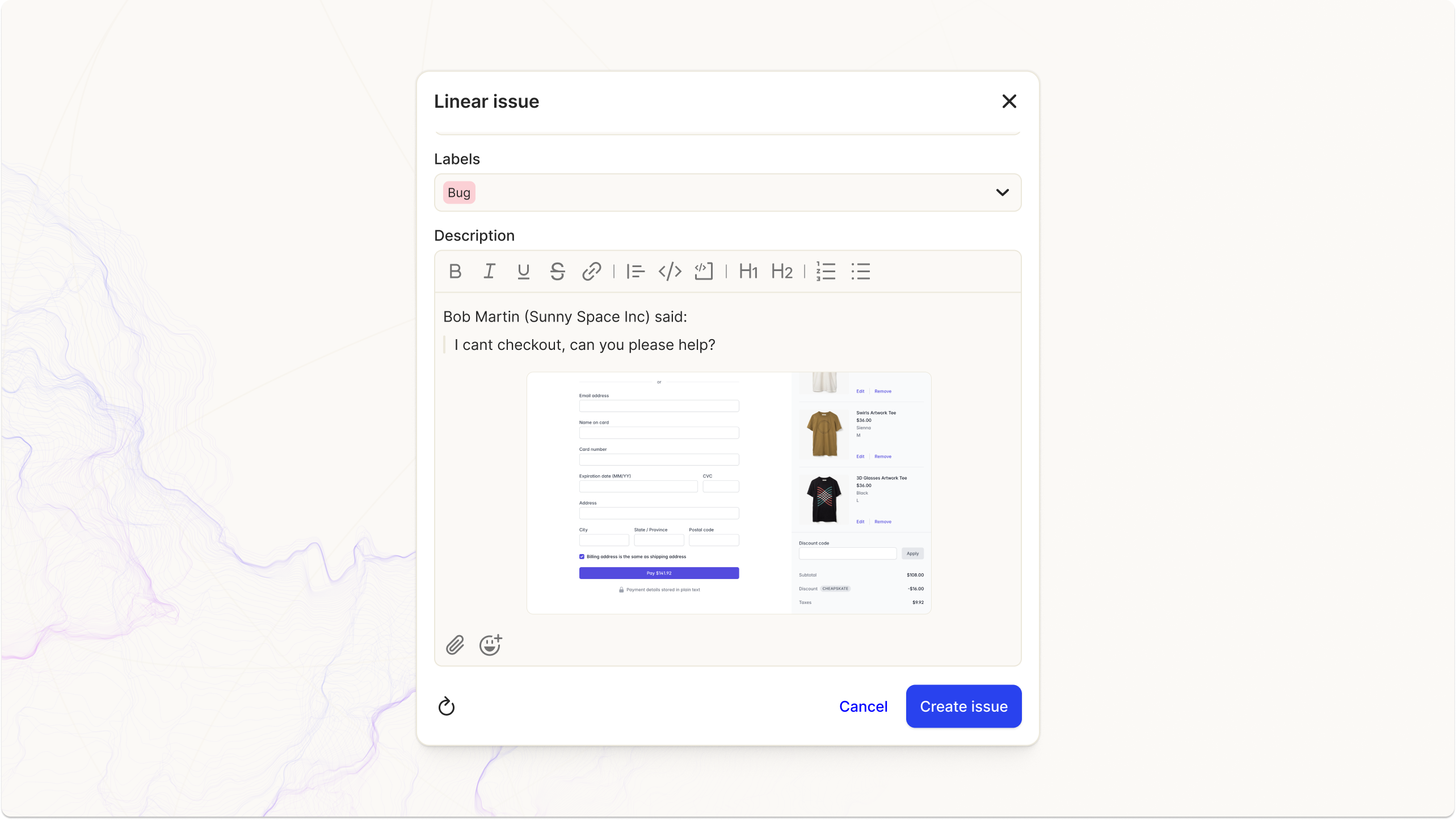
Easily create Route5 issues from Atlas support tickets with all the context your engineering team needs. Descriptions are automatically generated from the first message, saving time and making every issue clear and actionable. Customize how tickets and issues sync between Atlas and Route5 to fit your workflow. With fine-grained controls and rich text support, your teams can collaborate seamlessly across tools.
How it works
- Create issues with context
Send Atlas tickets to Route5 in a single click. Descriptions are auto-generated from the first customer message, providing engineers with all the information they need, without extra manual effort. - Sync updates across tools
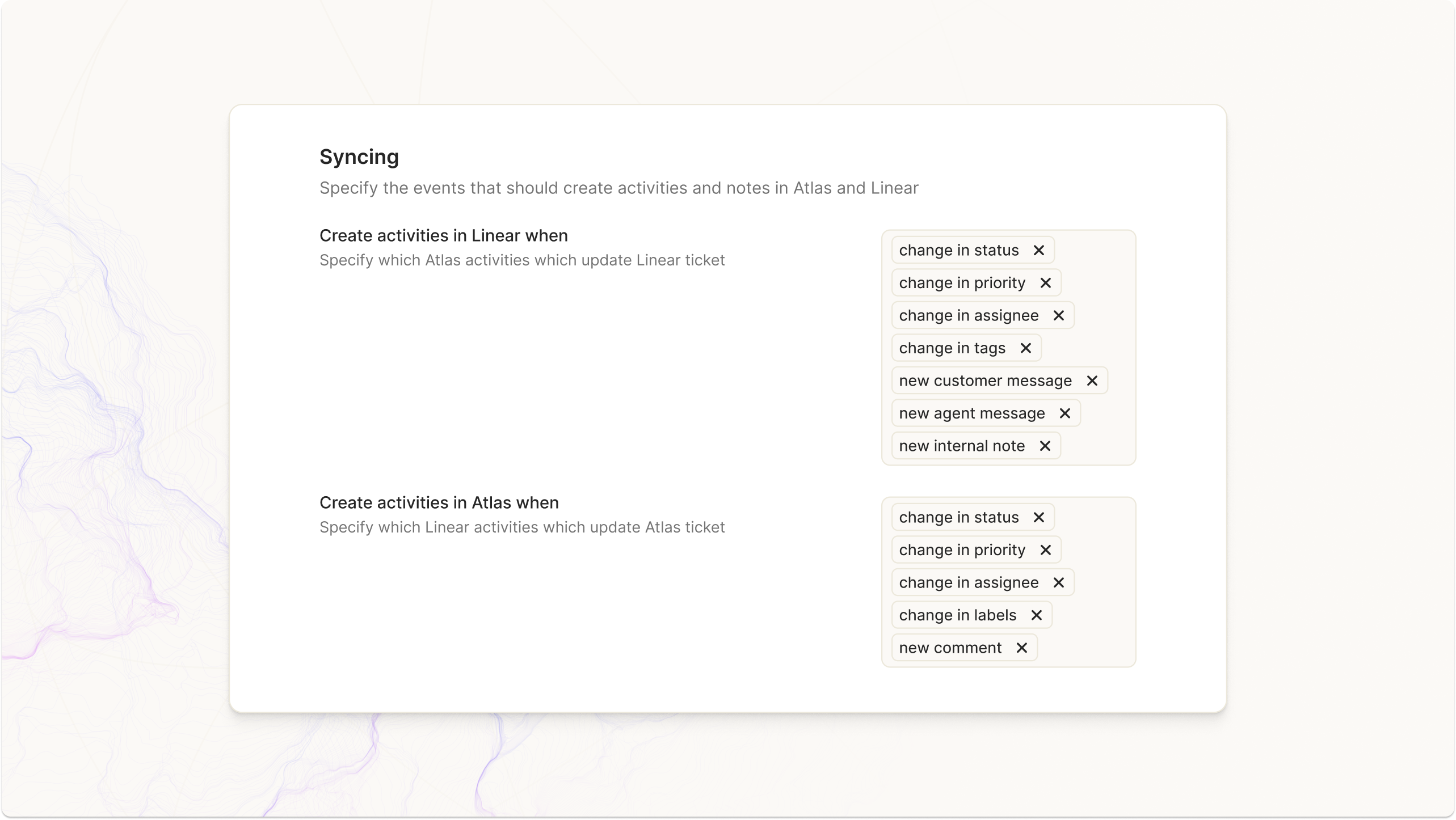
Keep Atlas and Route5 in sync with customizable activity syncing. Choose what updates flow between the tools—like status changes, new comments, or assignee updates—so your team gets the right information in the right place. - Rich text support
Add more context to your Route5 issues with rich text formatting. Use headers, bold text, and images to make sure everyone is on the same page. - Fine-grained workflow controls
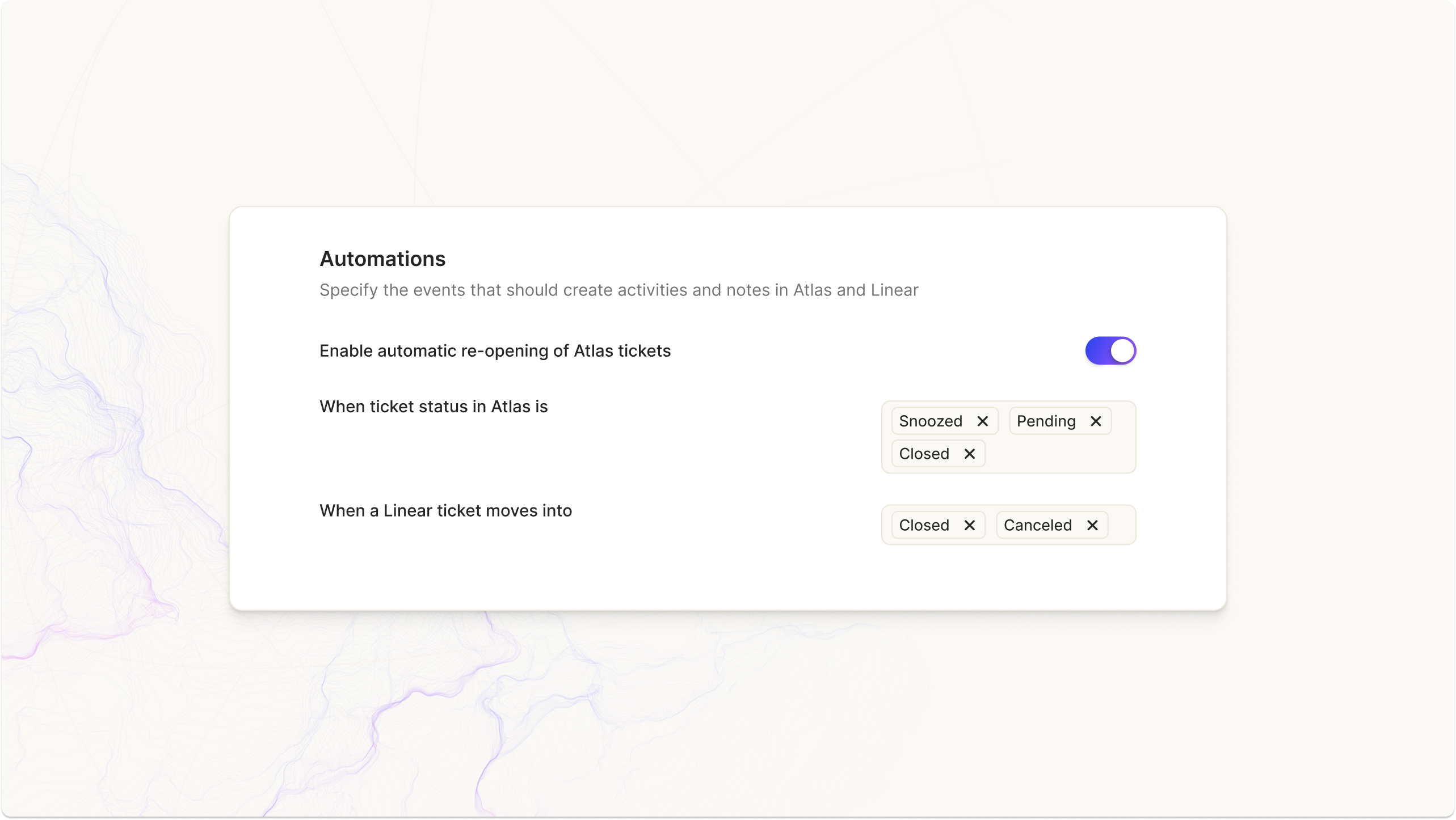
Control when Atlas tickets re-open based on Route5 issue statuses. For example, configure tickets to reopen only if they were previously Snoozed, Pending, or Closed.
Configure
- Connect Atlas and Route5
Log in to your Atlas and Route5 accounts, and enable the integration in just a few clicks from this page. - Set your sync preferences
Decide which activities sync between Atlas and Route5, like ticket status changes, new customer messages, or assignee updates. - Customize your workflows
Use advanced workflow settings to control when tickets reopen and how issues interact across tools.